
All products think they are better than their competitors, naturally, but to say so is one thing, to prove it with data or concede to a more advanced rival is another. To show the strengths of both, we decided to run a side-by-side benchmark between the Multilogin and Aurorium anti-detect browsers. When to use Aurorium and when Multilogin is still the way to go.
This article is not a promotional piece arguing why Aurorium Browser surpasses Multilogin. It is a comprehensive technical breakdown of both products' feature sets and a direct comparison under identical operational conditions.
We have aimed for complete objectivity throughout our testing.
How We Compared the Browsers
To begin with, let’s review our testing methodology for evaluating Multilogin and Aurorium.
Disclaimer: All tests were conducted on the same day under identical operating systems and hardware configurations, using the exact same proxy pool. To ensure experimental purity, both antidetect browsers were deployed on clean, identically provisioned servers.
Test Bench Configuration:
CPU: Intel(R) Xeon(R) CPU E5-2660 v3 @ 2.60GHz (10 cores / 20 threads)
RAM: 96.0 GB DDR4 (95.9 GB usable)
OS: Windows 10 Pro x64 (Clean install)
Storage: NVMe SSD
Network: Unified residential proxy pool from a single provider, SOCKS5 protocol, Germany geo.
Profiles: Windows 10, geomatched to the proxy location.
Software Versions: Multilogin—latest Mimic build (v151 at the time of testing); Aurorium—v151 at the time of testing. Both are based on the Chromium core.
Evaluation Criteria
Digital Fingerprint Consistency
We evaluated not only uniqueness of fingerprints but also naturalness, realism, parameter consistency, presence of anomalies, and the underlying spoofing architecture (core-level modifications vs. surface JS injections):
- Hardware Layer Canvas WebGL Web Audio API
- Network & System Layer: TLS fingerprint and HTTP/2 Client hints matching the claimed browser version and tests for local IP leaks using WebRTC.
- Behavioral Noise: How the browser changes fingerprints (native C++ engine patches versus artificial noise injection)
Performance and Resource Utilization
We benchmarked local hardware resource consumption under scaling workloads:
- RAM and CPU Footprint: Baseline launch (1 profile), medium workload (5 profiles), and stress workload (10 profiles with 3 active tabs each).
- Disk I/O and Profile Footprint: Volume of disk data generated per profile.
Team Collaboration
Implementation quality, access control architecture, and usability of team collaboration features in both browsers.
Scaling Economics
The financial aspect of deploying each antidetect browser:
- Cost for solo media buyers (up to 50–100 profiles).
- Cost for media buying teams (10 users, 1,000–3,000 profiles).
- Presence of hidden fees (additional team seats, API requests, profile transfer fees).
Scoring Methodology
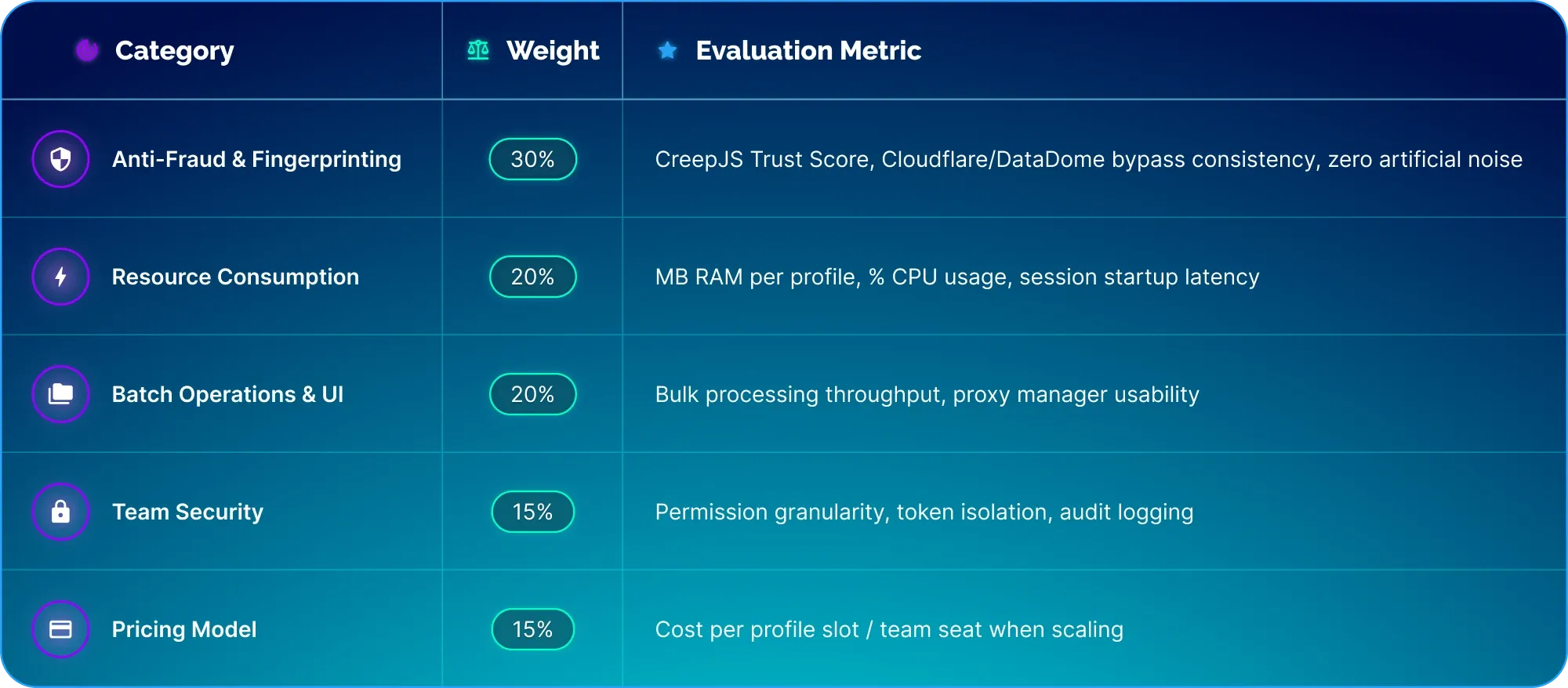
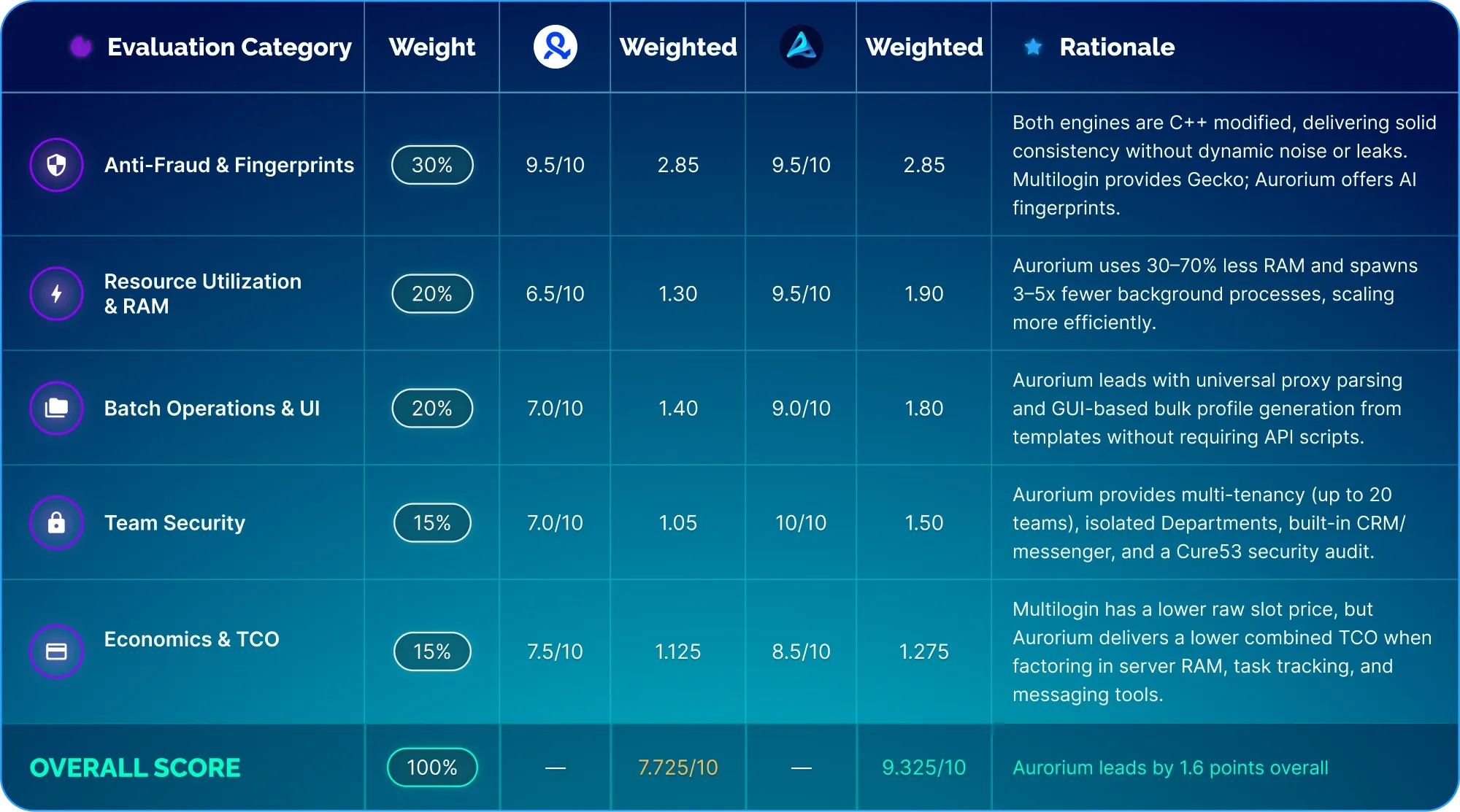
To maintain objective evaluation, we developed a weighted scoring matrix. The more critical a parameter is to daily operations, the higher its weight:
Digital Fingerprints and Anti-Fraud: Noise vs. Consistency
Before moving to usability benchmarks, we thoroughly tested both antidetect browsers for data leaks and fingerprint consistency.
Spoiler: Both browsers performed well across all test suites, confirming high-grade fingerprint spoofing.
You can skip this technical section if you prefer, but verifying digital fingerprint integrity was necessary to validate our findings.
How Anti-Fraud Systems Detect Discrepancies
Current anti-fraud systems don’t treat digital fingerprints as a simple “unique vs. non-unique” (generating an arbitrary, unique fingerprint has long ceased to be difficult). Instead, they observe the differences: parameter mismatches; random noise injected on each call of the script; execution gaps between the DOM and isolated Web Workers (where JS patches can fail and the worker leaks the physical hardware specs of the host machine); and network-level desynchronization (WebRTC leaks and TLS handshake anomalies).
A production-ready antidetect must account for numerous fine-grained factors to protect user profiles against algorithmic bans.
Let’s look at the test results.
Fingerprint Generation Approach: Multilogin vs. Aurorium
We configured two identical profiles in each browser and executed diagnostic scripts via the DevTools console to analyze how each engine handles spoofing.
Noise vs. Consistency
Low-tier anti-detect browsers cut corners on spoofing by injecting random noise on every Canvas or Audio API call to scramble the genuine hash. However, modern anti-bot systems flag dynamic canvas noise as an anomaly. We executed ten consecutive toDataURL() calls in both browsers; in every run, both returned a completely stable, consistent hash.
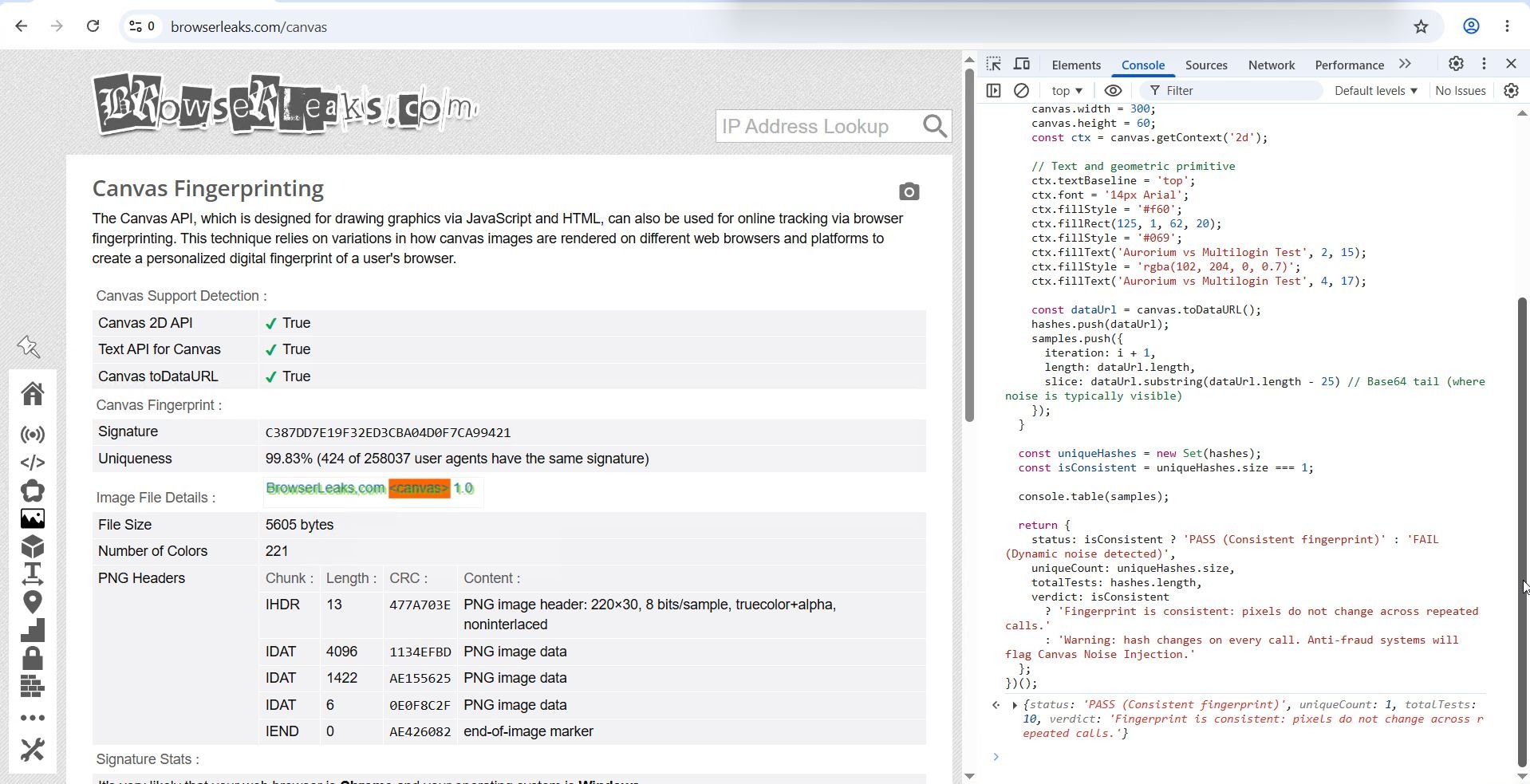
Multilogin: 10 consecutive calls yielded identical hashes.
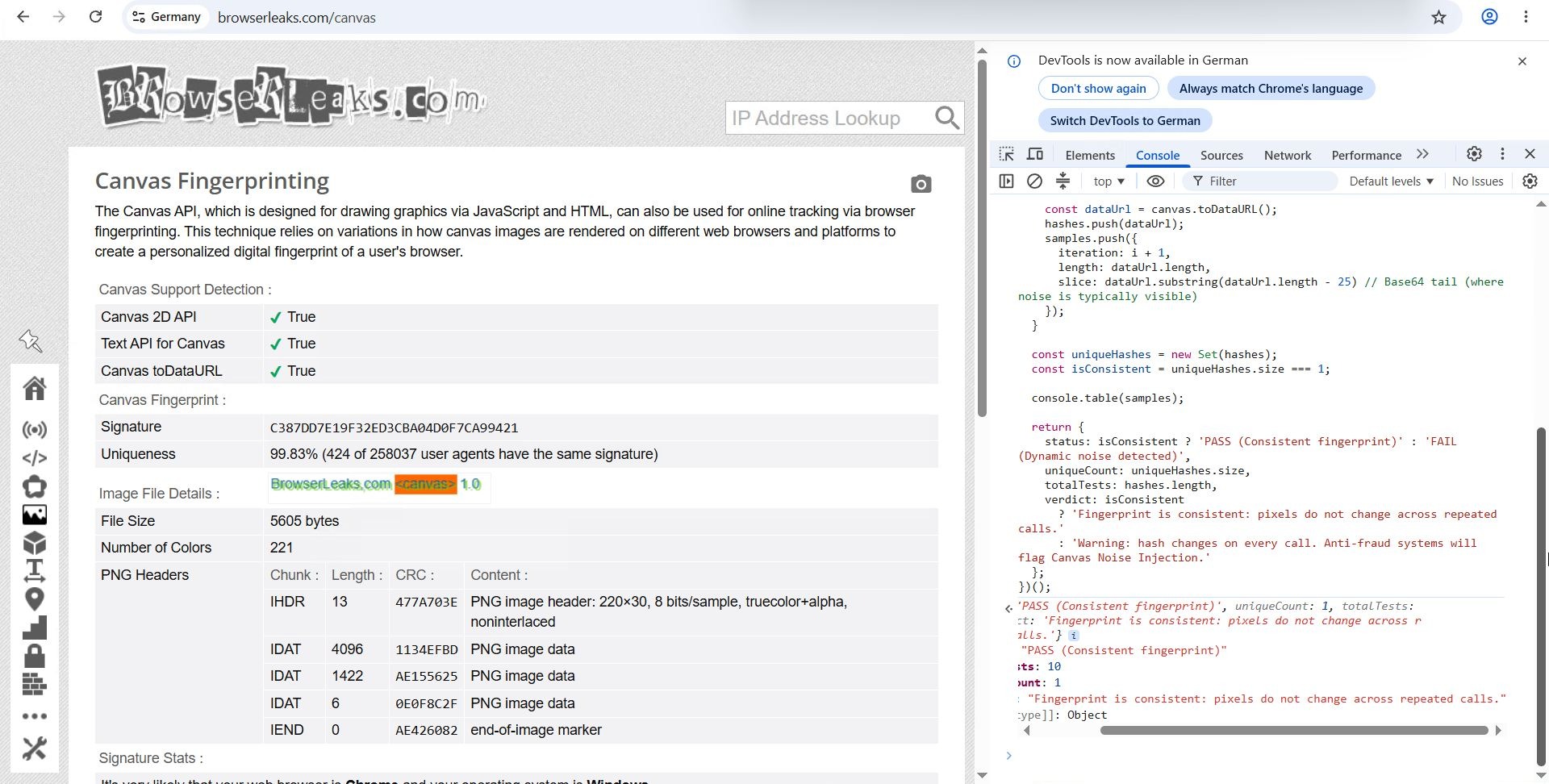
Aurorium: 10 consecutive calls yielded identical hashes.
We observed an identical outcome when querying the Web Audio API: both browsers returned stable, reproducible values.
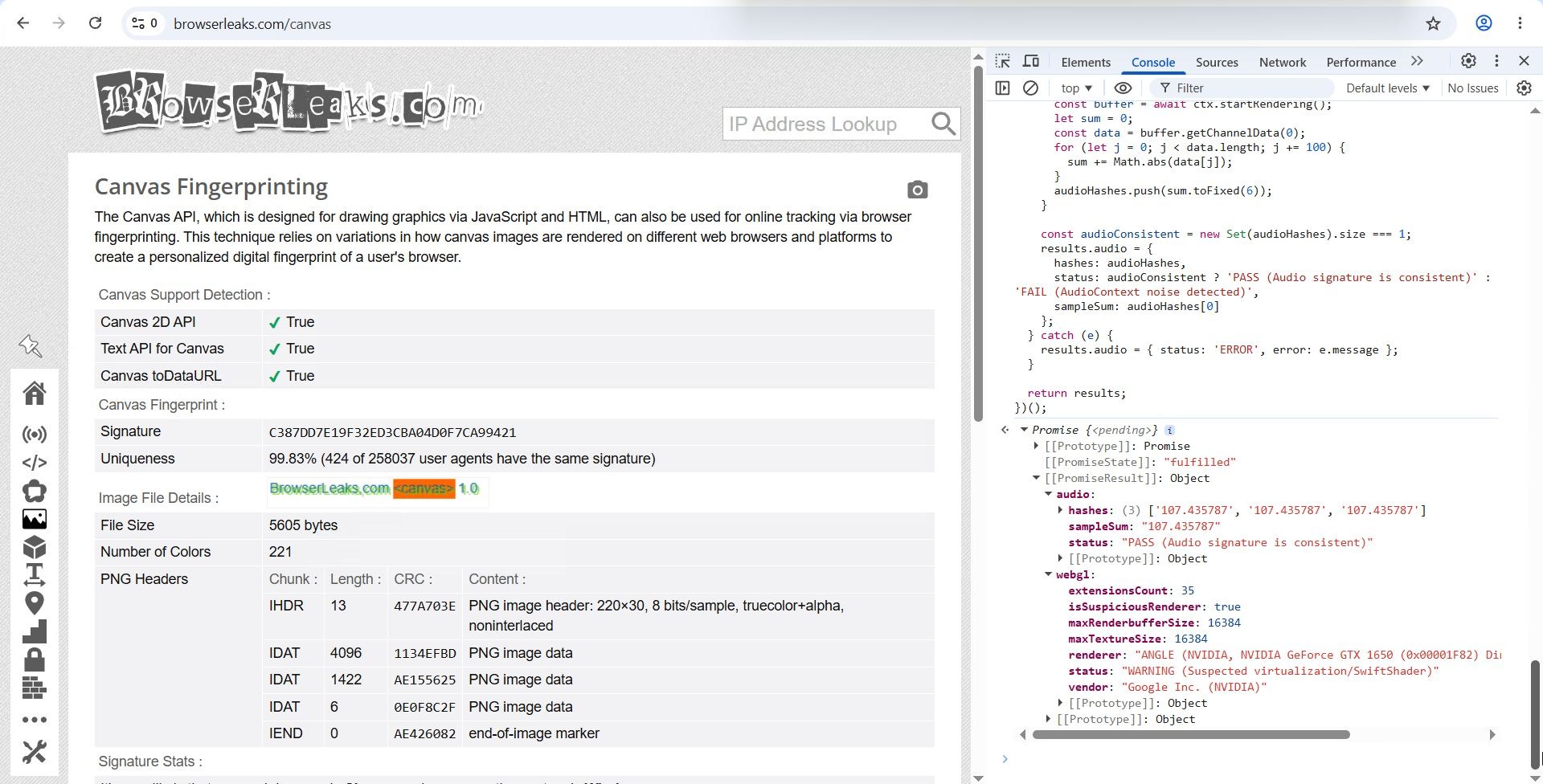
Multilogin AudioContext: Output remained consistent
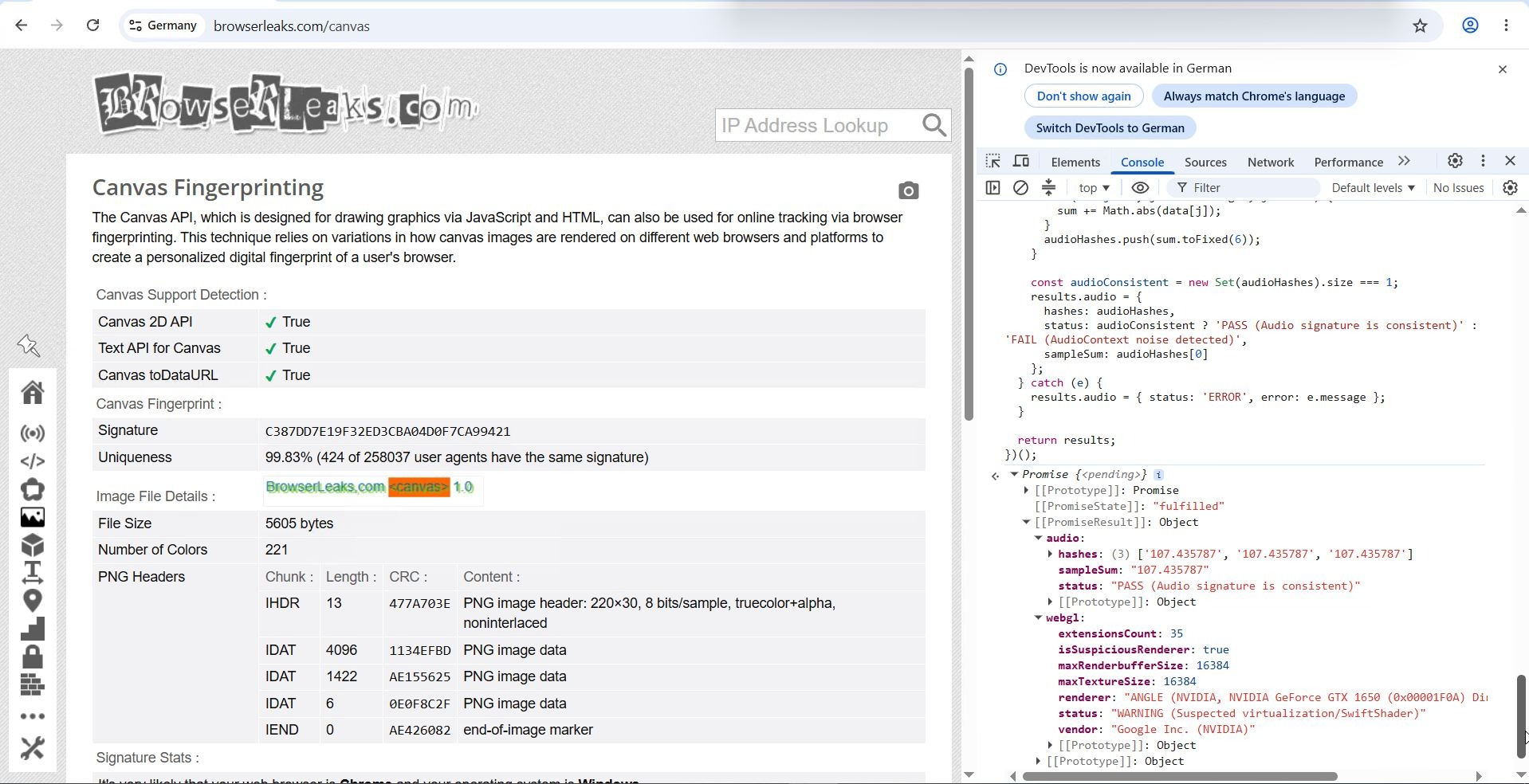
Aurorium AudioContext: Output remained consistent
Note: When utilizing Aurorium's AI-generated fingerprint mode, the returned value differed from the default preset yet maintained full internal consistency, matching standard profiles.
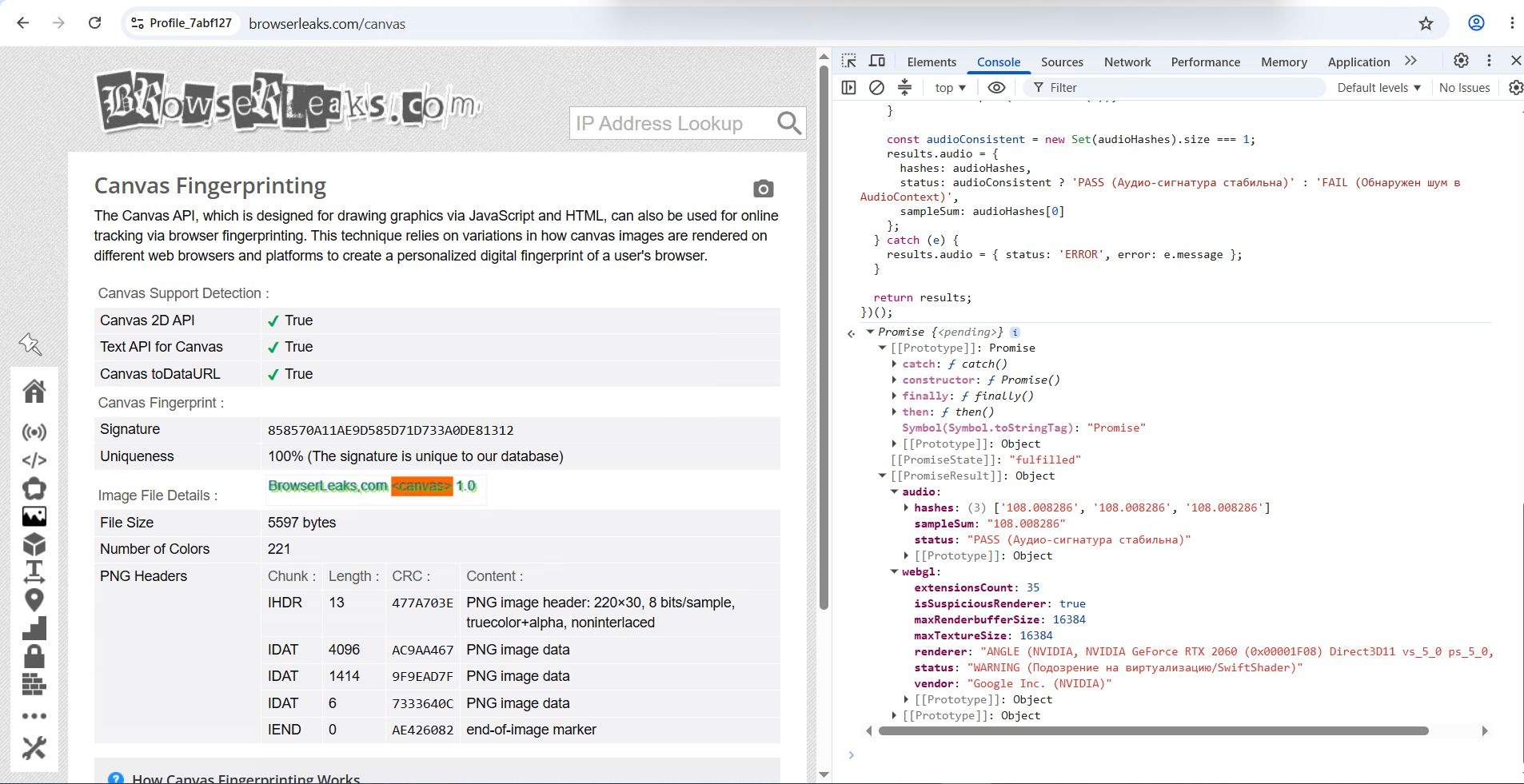
Aurorium AudioContext (AI fingerprint)
C++ Layer Integrity and Web Worker Isolation
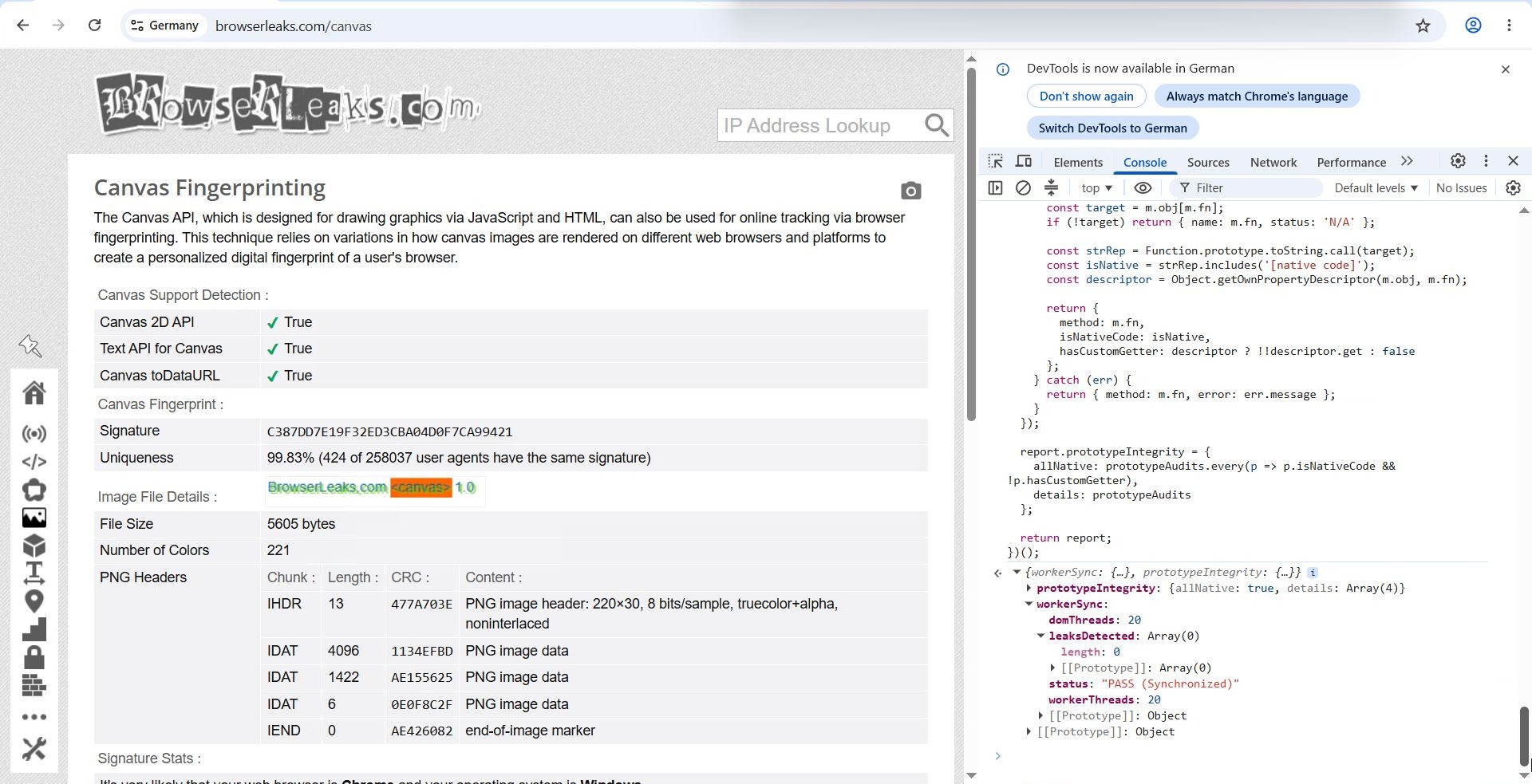
Subpar antidetect browsers are easily identified via Function.prototype.toString() inspection and context discrepancies between window scopes and isolated Web Workers. Our inspection confirmed that both Multilogin and Aurorium operate at the C++ core engine level and avoid surface-level JS injection techniques.
Furthermore, both browsers synchronized background worker contexts properly, reporting 4 virtual cores as configured, rather than exposing the physical 20 hardware threads of the test server.
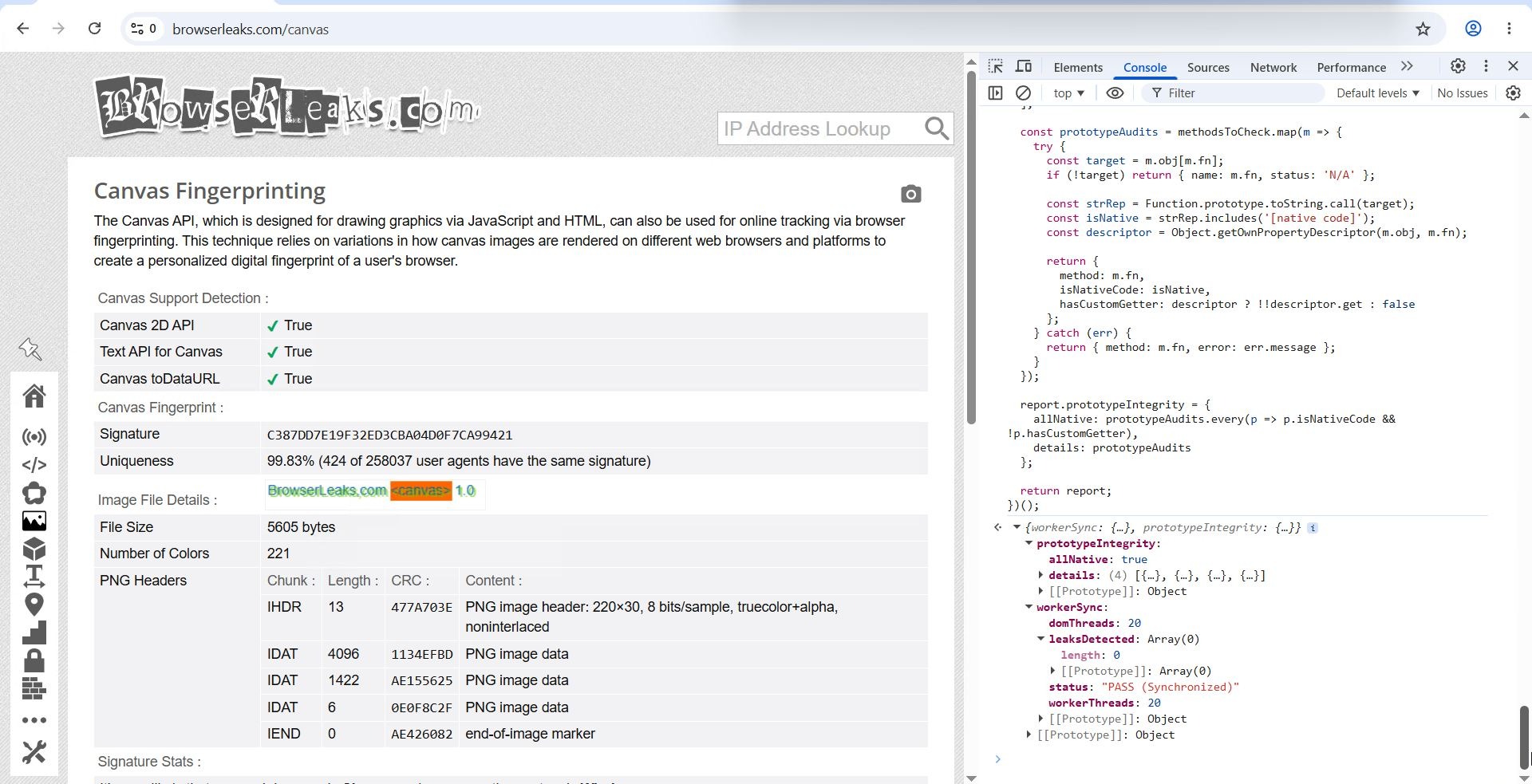 Multilogin
Aurorium
Network Layer: WebRTC Leaks and Client Hints Integrity
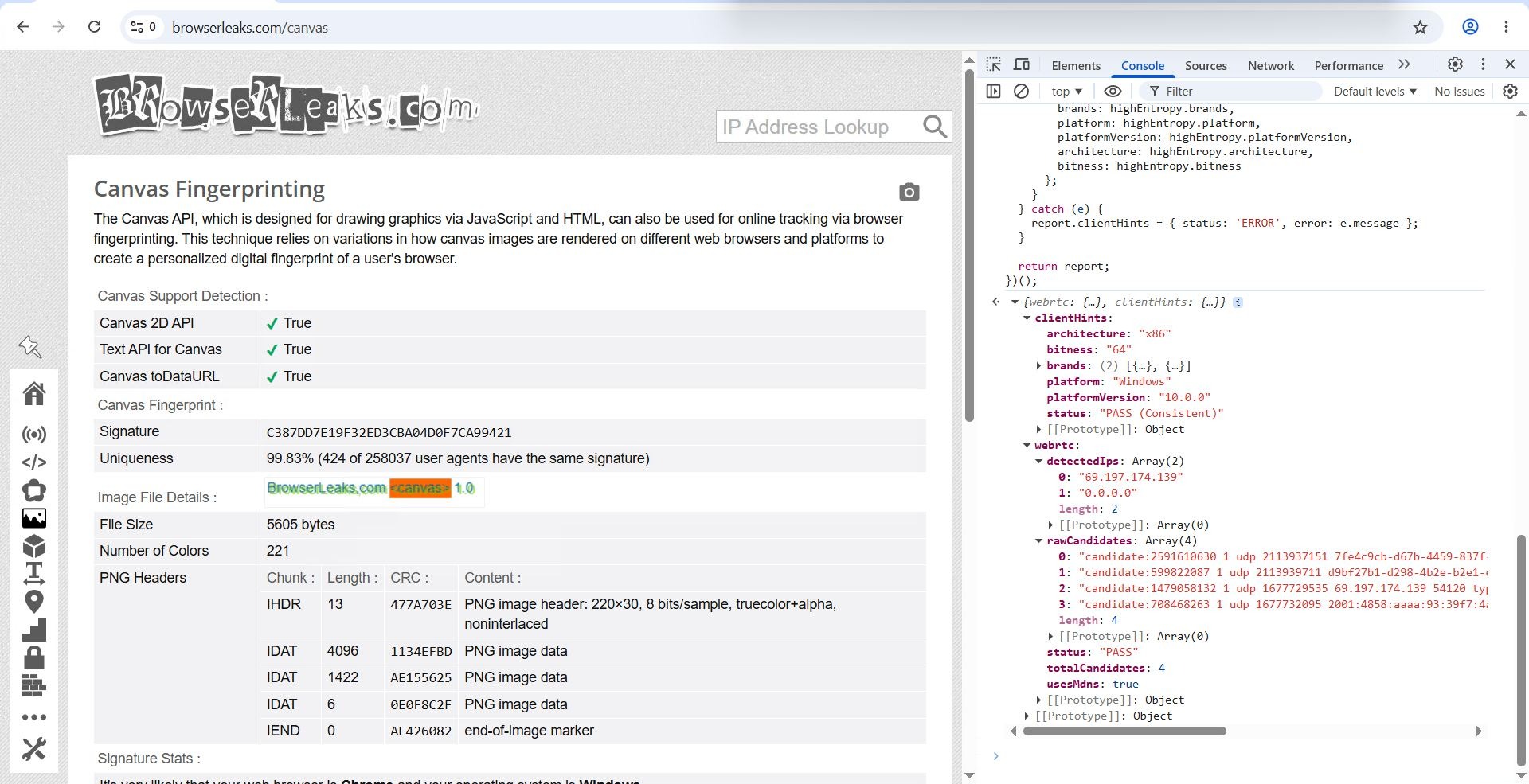
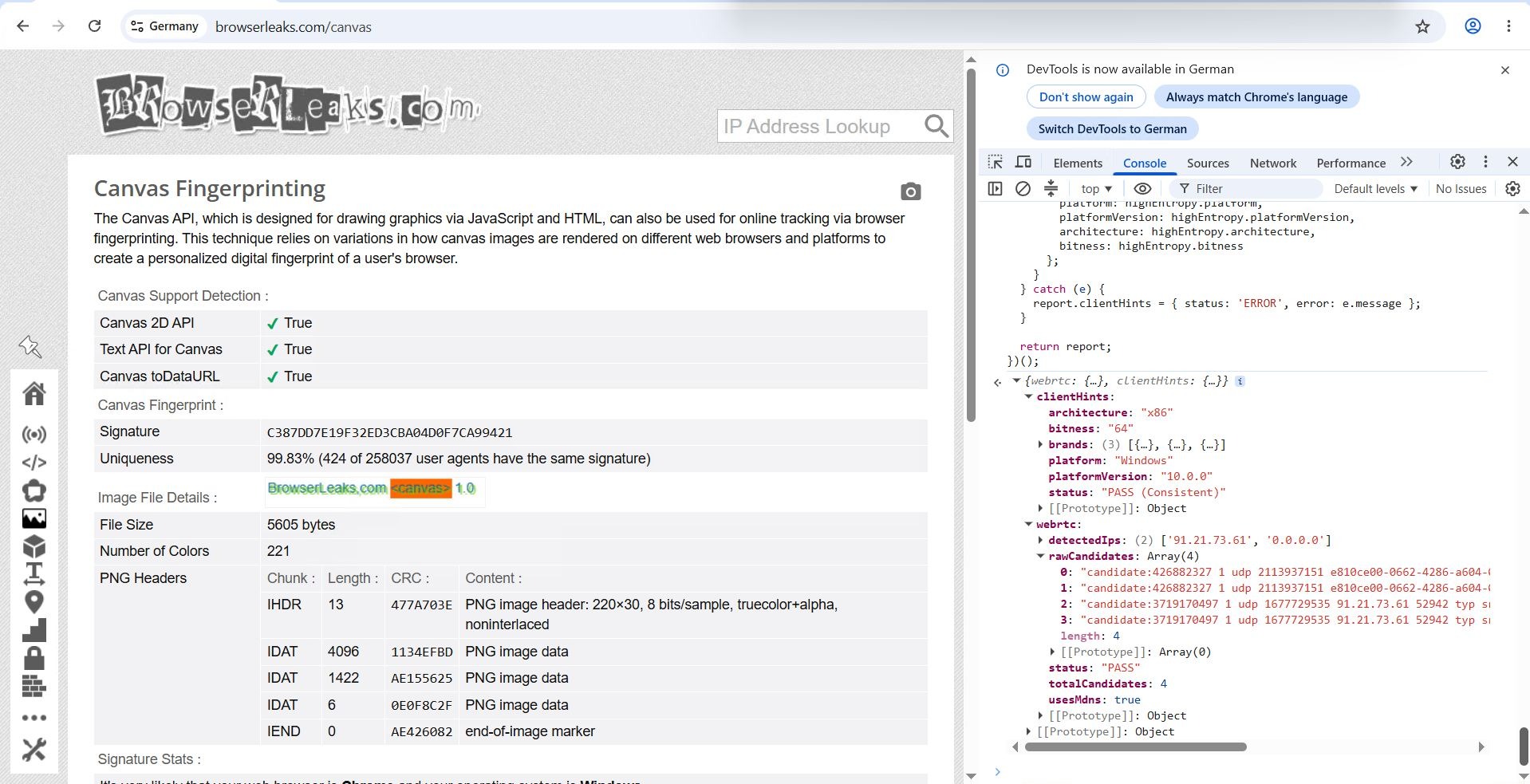
Neither browser leaked the local IP address via WebRTC (the external STUN request properly returned the proxy IP), and the HTTP/2 Client Hints headers remained synchronized with the declared profile parameters, indicating clean fingerprint compilation.
WebRTC and Client Hints Multilogin
WebRTC and Client Hints Aurorium
Practical Media Buying: Speed, Batch Operations, and Proxies
While internal architecture is important, real-world behavior under heavy load often dictates tool selection.
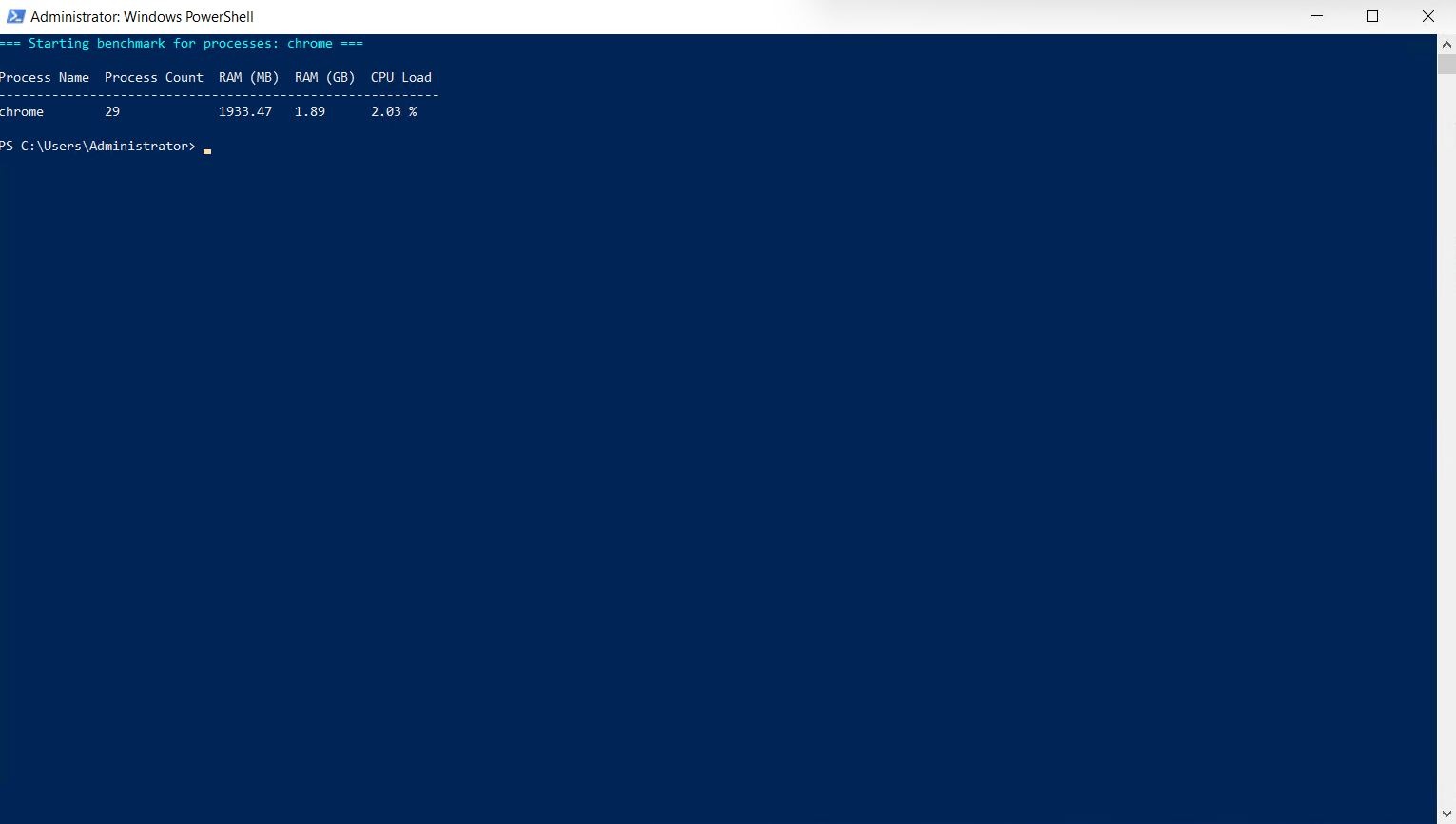
To preserve test integrity, we used a dedicated machine per browser so that external bottlenecks did not come into play. PowerShell was used to log real-time memory and process consumption.
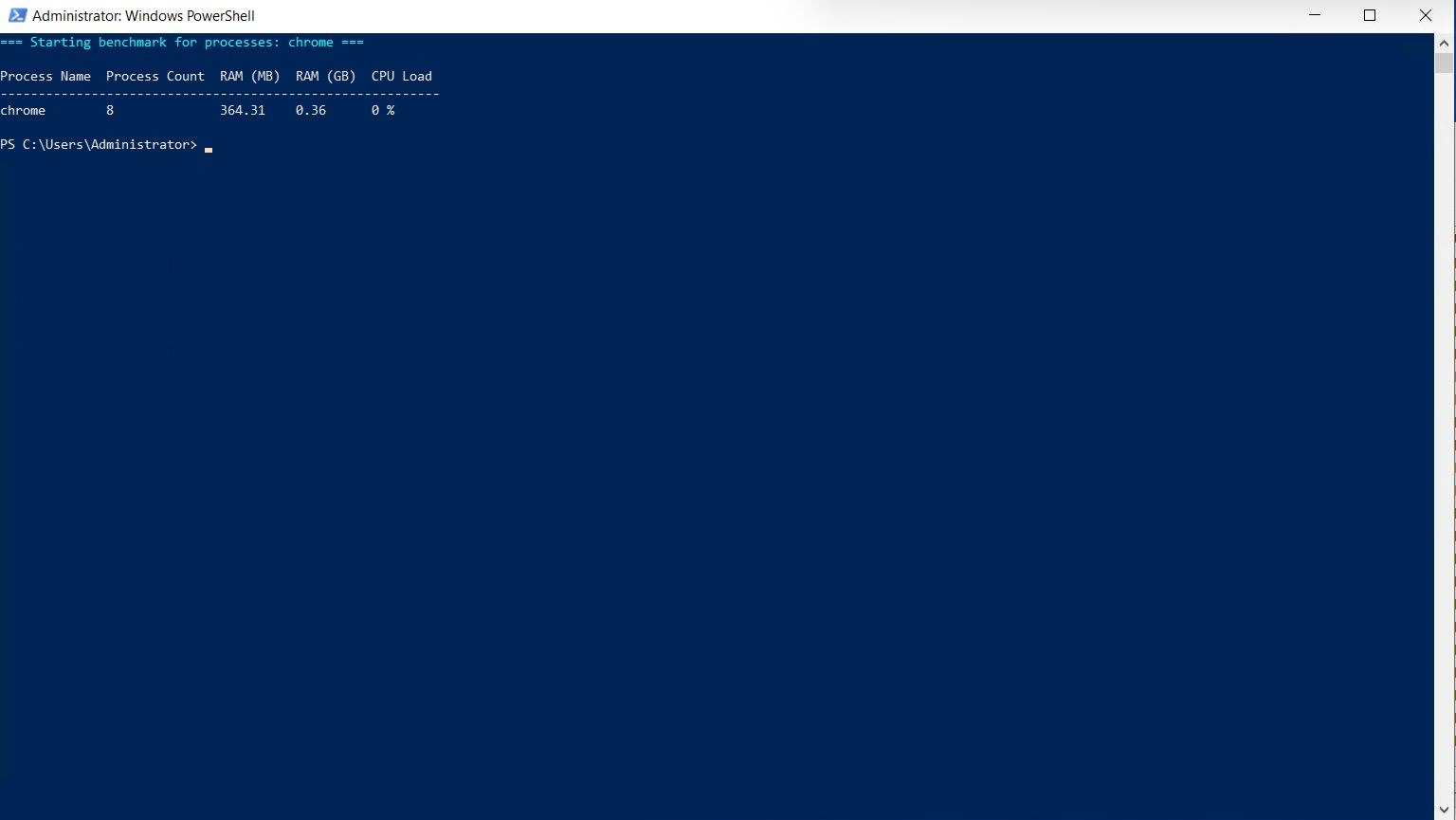
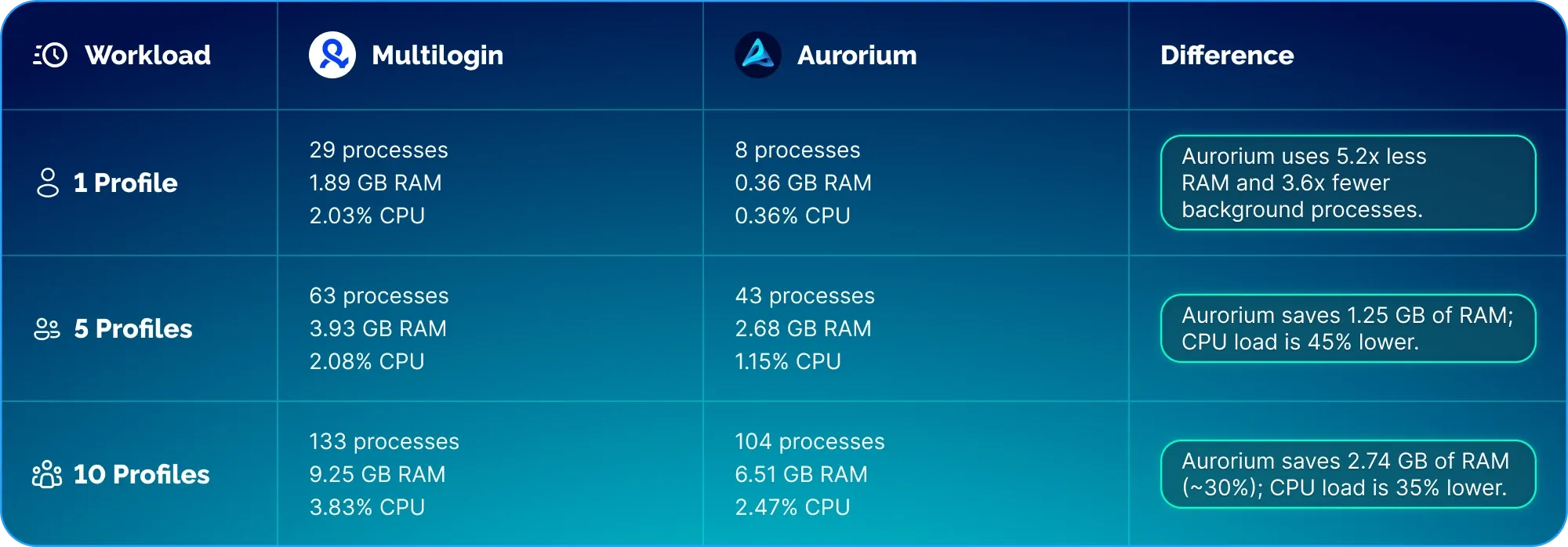
Our single-profile baseline test showed that Aurorium spawned only 8 processes and reserved 368 MB RAM, whereas Multilogin launched 29 processes and consumed 1.89 GB RAM.
Multilogin: one profile
Aurorium one profile
Resource Consumption: 5 and 10 Concurrent Profiles
As workload scaled, the disparity in resource utilization widened:
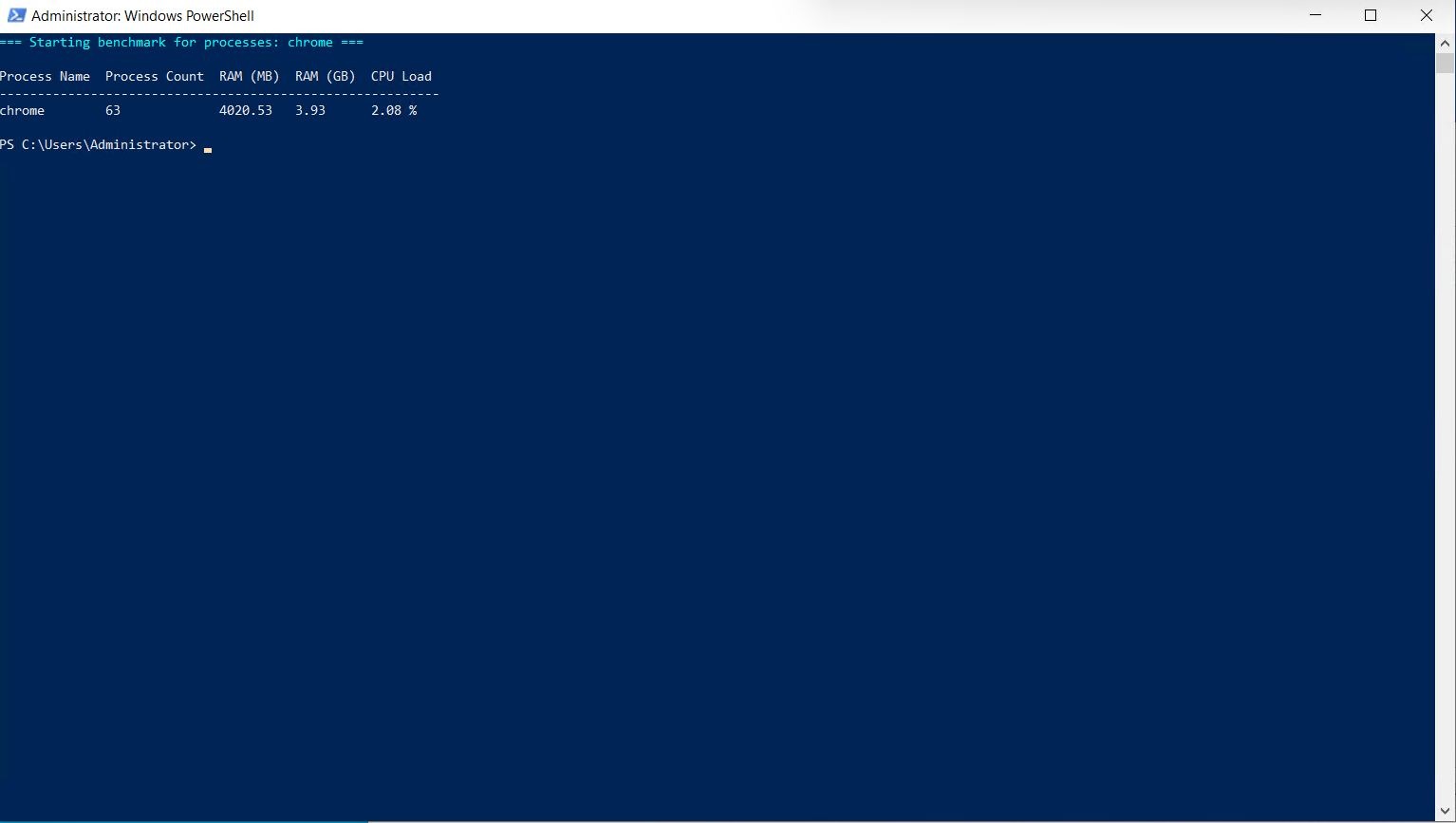
- At 5 active profiles, Multilogin consumed 3.93 GB RAM with a 2.08% CPU load.
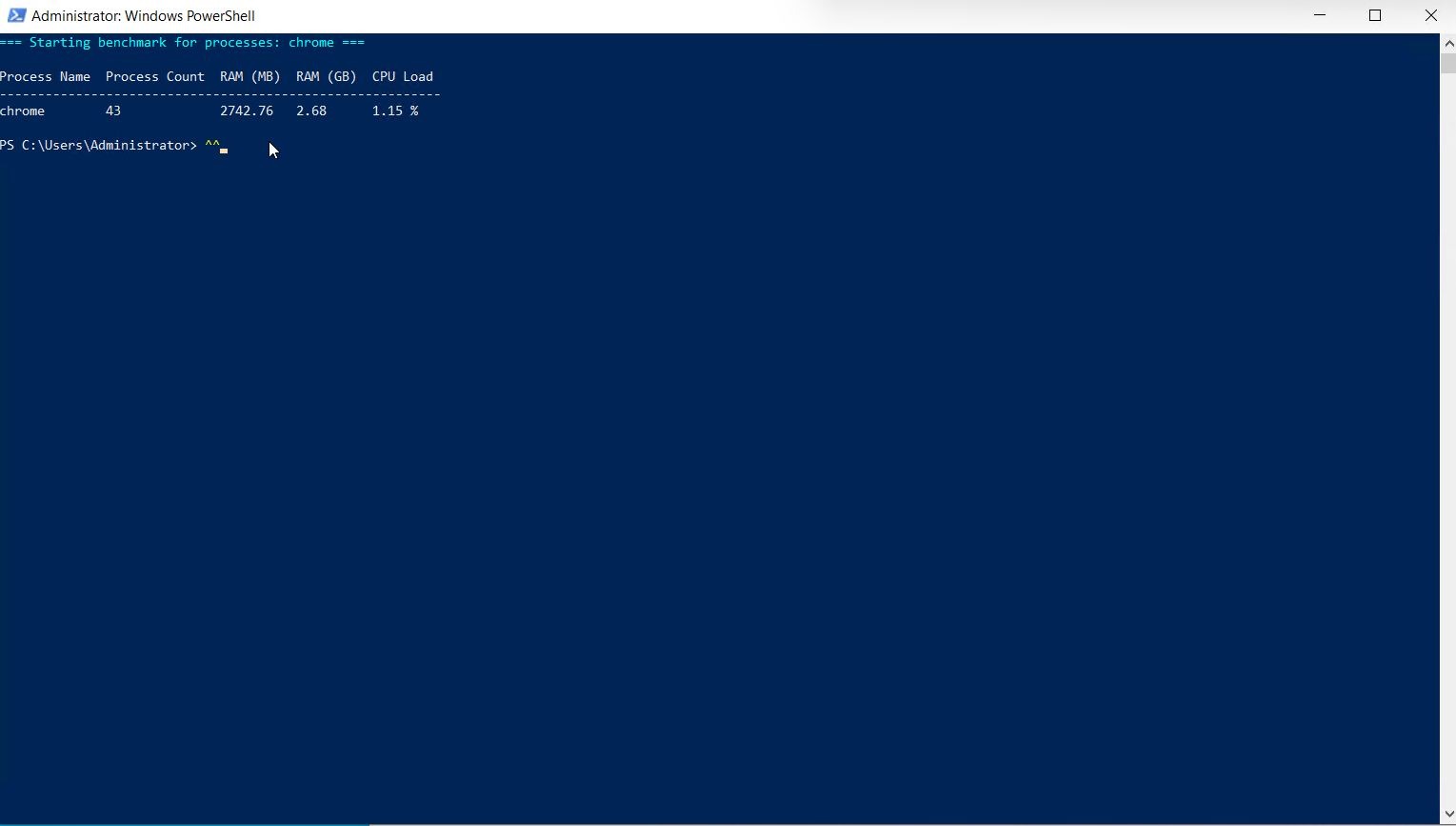
- Under the exact same workload and tab count, Aurorium consumed 2.68 GB RAM with a 1.15% CPU load.
Multilogin five profiles
Aurorium five profiles
Scaling further to 10 active profiles:
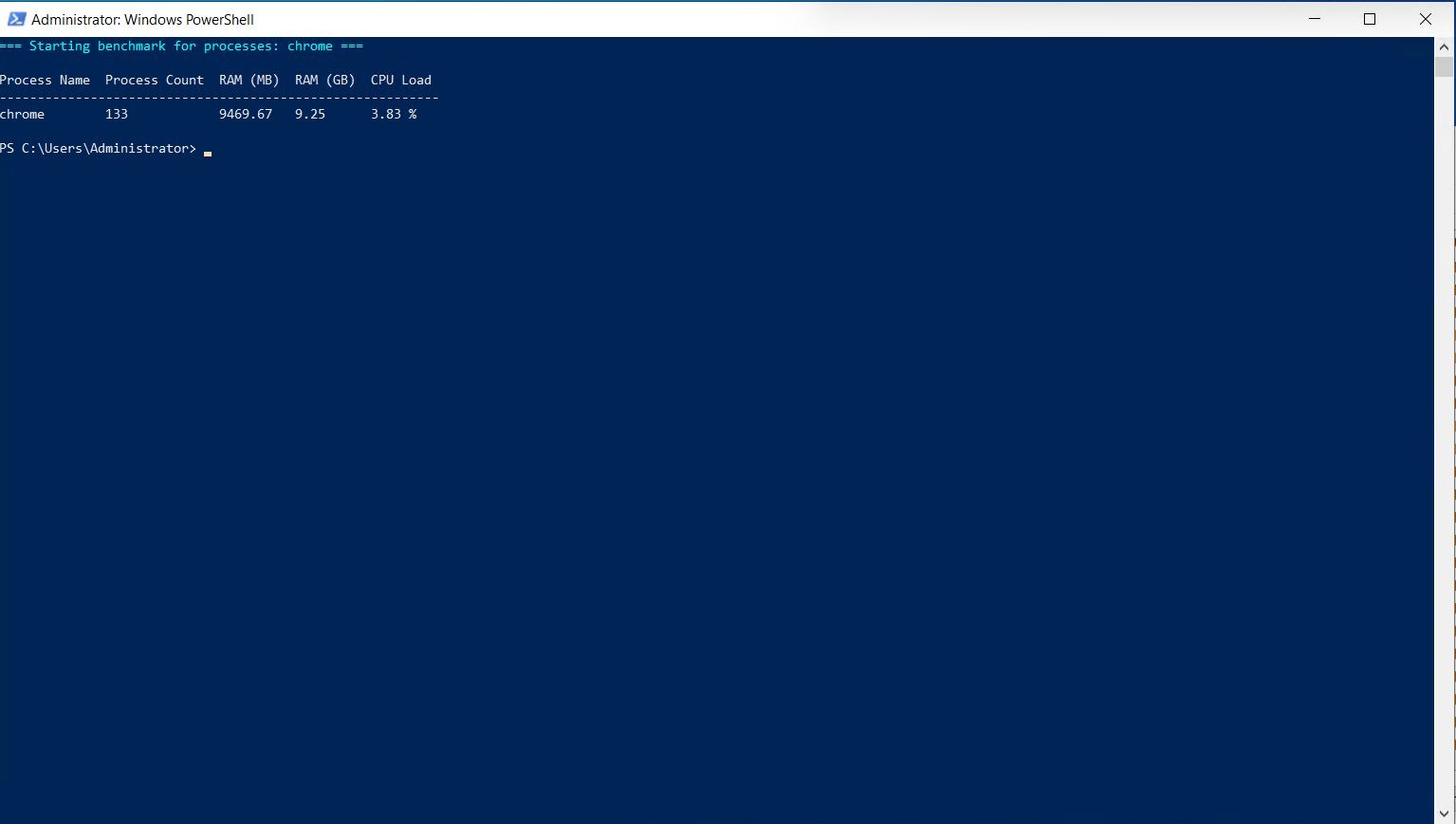
Multilogin: 133 processes, 9.25 GB RAM, 3.83% CPU load.
Aurorium: 104 processes, 6.51 GB RAM, 2.47% CPU load.
Multilogin ten profiles
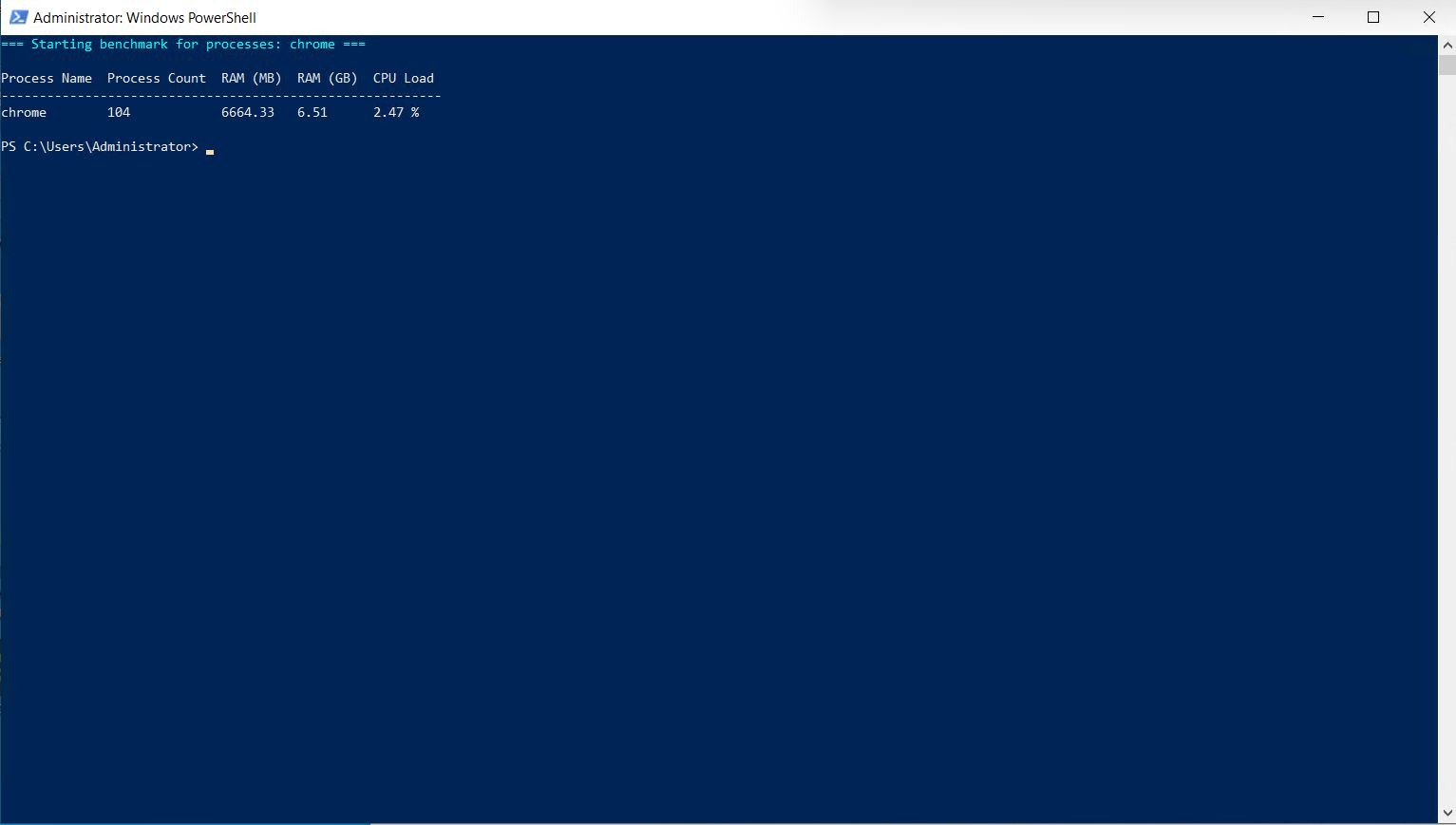
Aurorium ten profiles
This represents a difference of 2.74 GB RAM per 10 profiles. While this might seem manageable on a small scale, projecting this footprint across 100 profiles yields an approximately 27 GB memory variance.
The Infrastructure Economics Behind the Numbers
On our 96 GB RAM test server, running 100 profiles in Aurorium takes ~65.1 GB of RAM, leaving around 30 GB of headroom for OS overhead and background services. However, running 100 profiles in Multilogin takes ~92.5 GB, which is nearing memory exhaustion and results in Windows paging/swapping. This means scaling Multilogin needs a 128GB+ RAM server, which, just for the browser overhead, would add recurring infrastructure costs.
💡 Looking to cut server costs while running more active profiles?
Experience Aurorium’s resource optimization on your own hardware — launch dozens of sessions smoothly without overpaying for expensive dedicated servers.
🔗 Test Aurorium’s Performance →
Proxy Management and Batch Operations
Resource efficiency is key, but batch management, especially for proxy infrastructure, is just as important. It’s easy to manage 2-5 proxies manually, but once you have 100+ profiles, it’s time to go bulk. Both browsers allow batch importing of proxies, but they do so differently.
Multilogin and Aurorium both support standard network protocols (HTTP, HTTPS, SOCKS5, SSH). However, they differ in parsing flexibility.
MultiLogin strictly enforces a single input syntax: ip:port:login:password. There is no format tolerance: entering proxies in any alternative syntax triggers an input error, which can create friction during bulk onboarding.
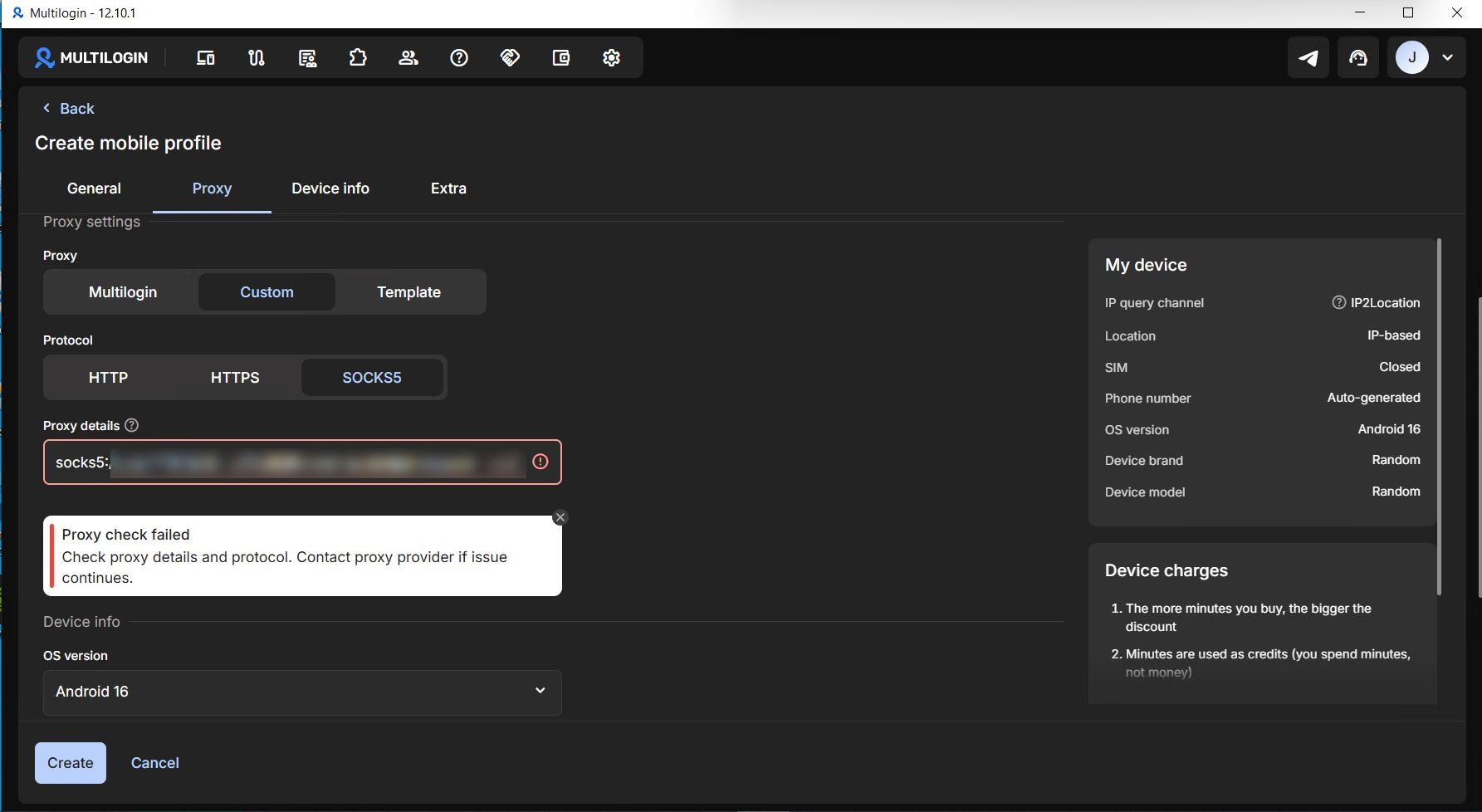
Multilogin — attempt to add a proxy in a different format
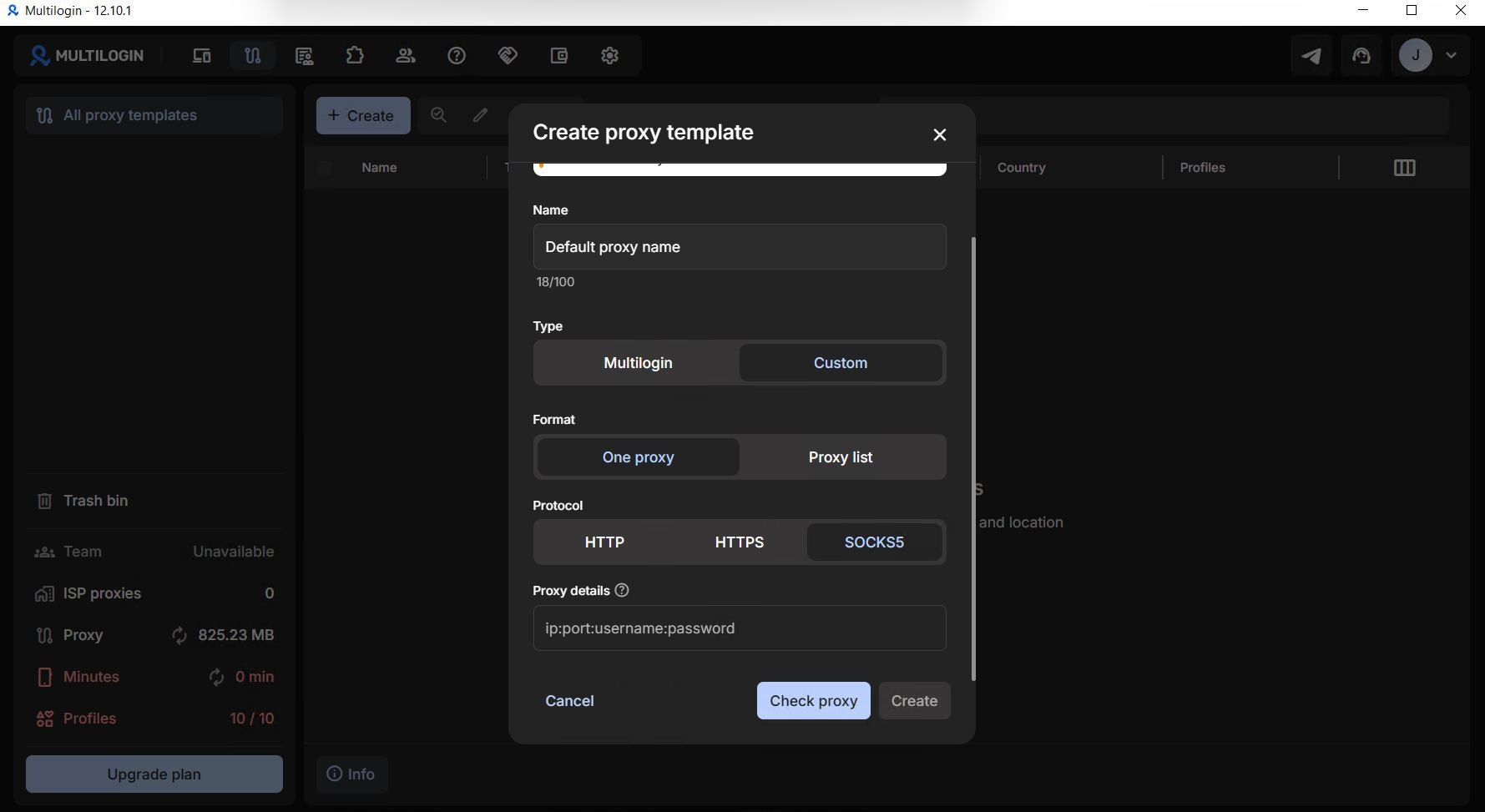
Multilogin — bulk proxy upload
Aurorium handles formatting automatically using an adaptive parsing engine. Aurorium accepts standard proxy string syntaxes used by major providers:
protocol://host:port;protocol://user:password@host:port;protocol://user:password:host:port;user:password:host:port.
You can paste raw strings directly, and the parser maps the host, port, username, and password automatically.
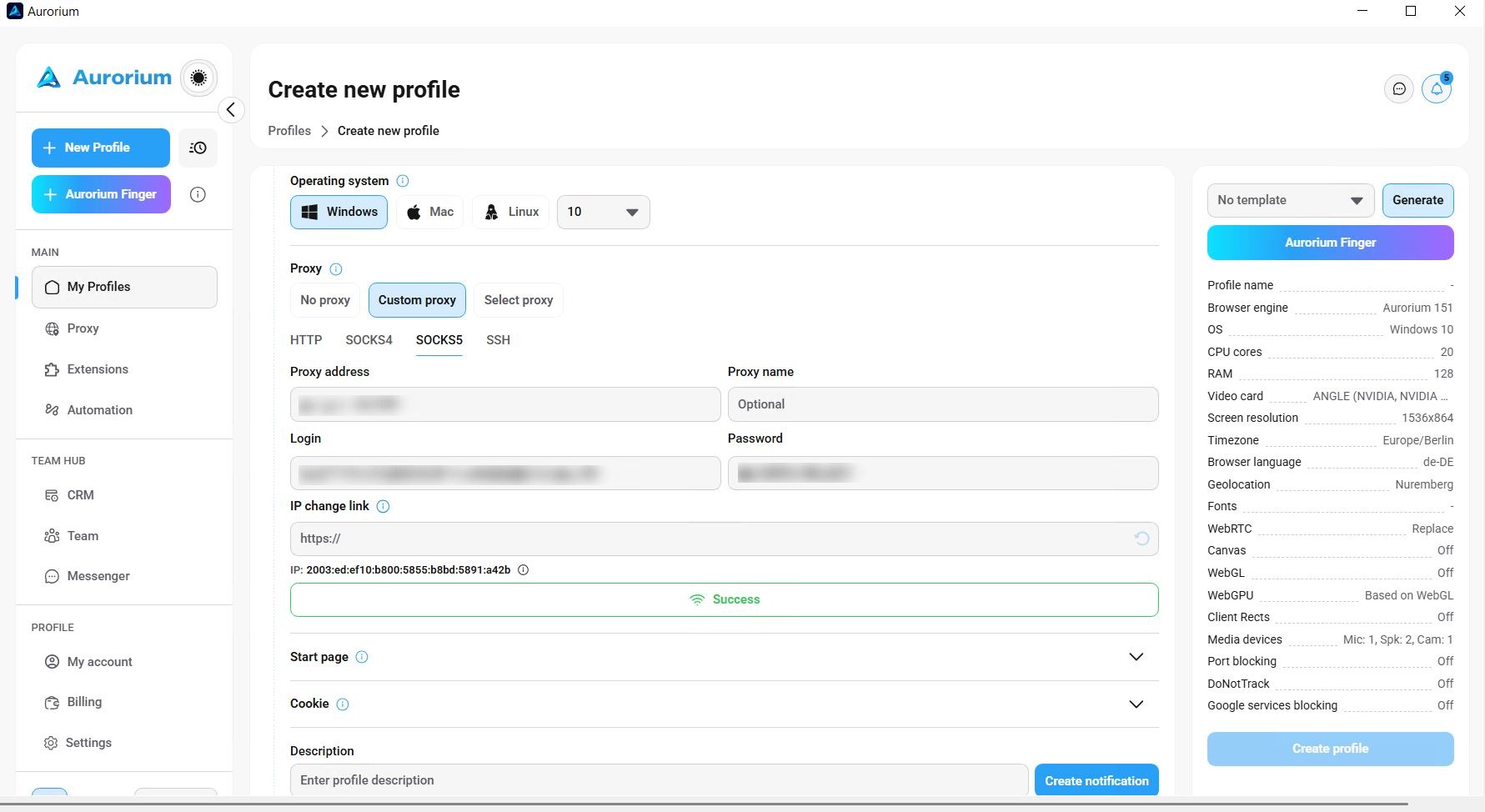
How smart parsing works in Aurorium
During bulk imports, no pre-formatting is required: you can paste the proxy list directly as provided by your supplier.
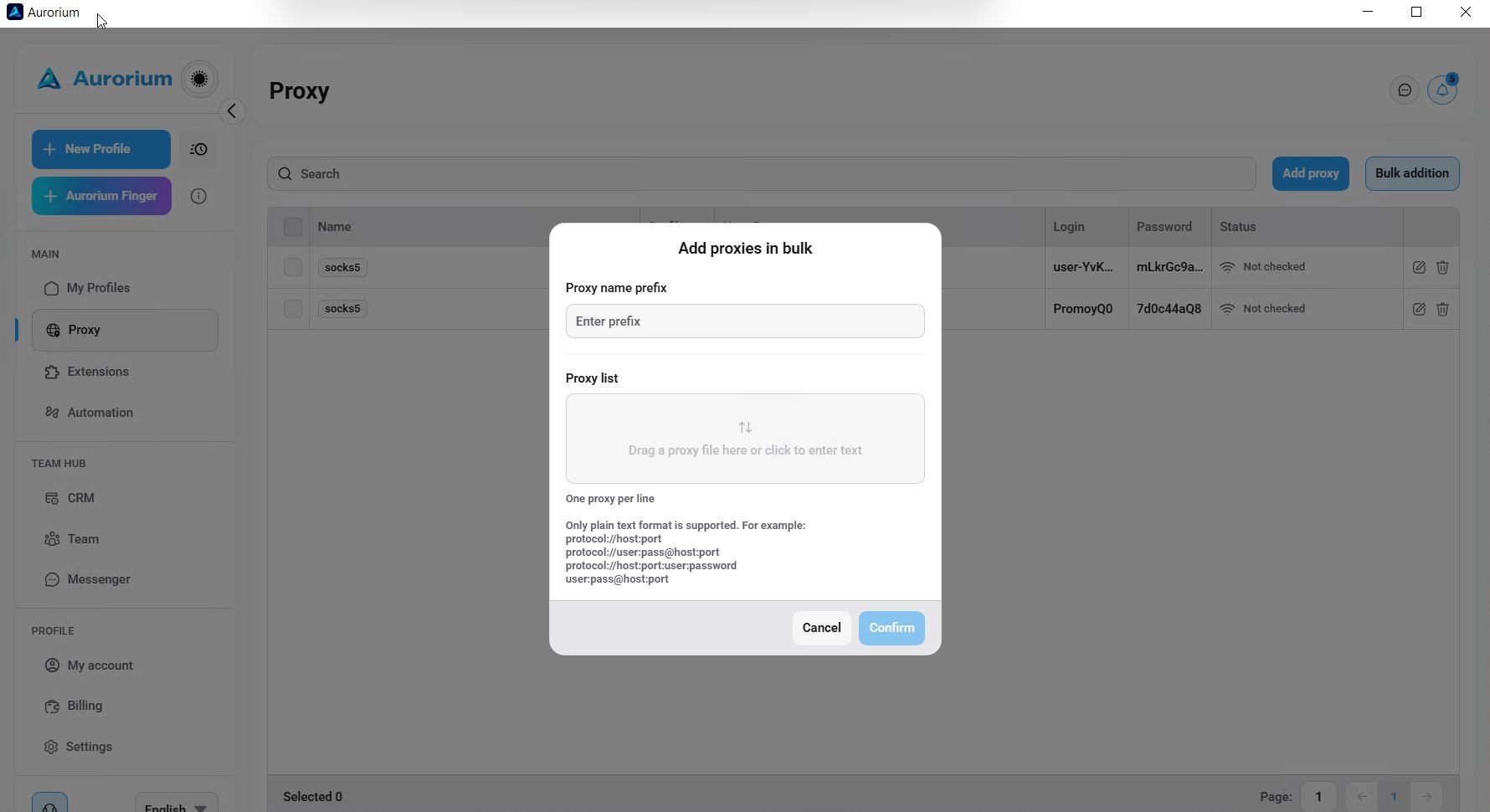
Bulk proxy upload in Aurorium
Proxy Verification and Bulk Profile Actions
Batch Proxy Validation: Neither browser supports one-click batch status checking across an entire proxy list, which is a drawback for high-volume setups.
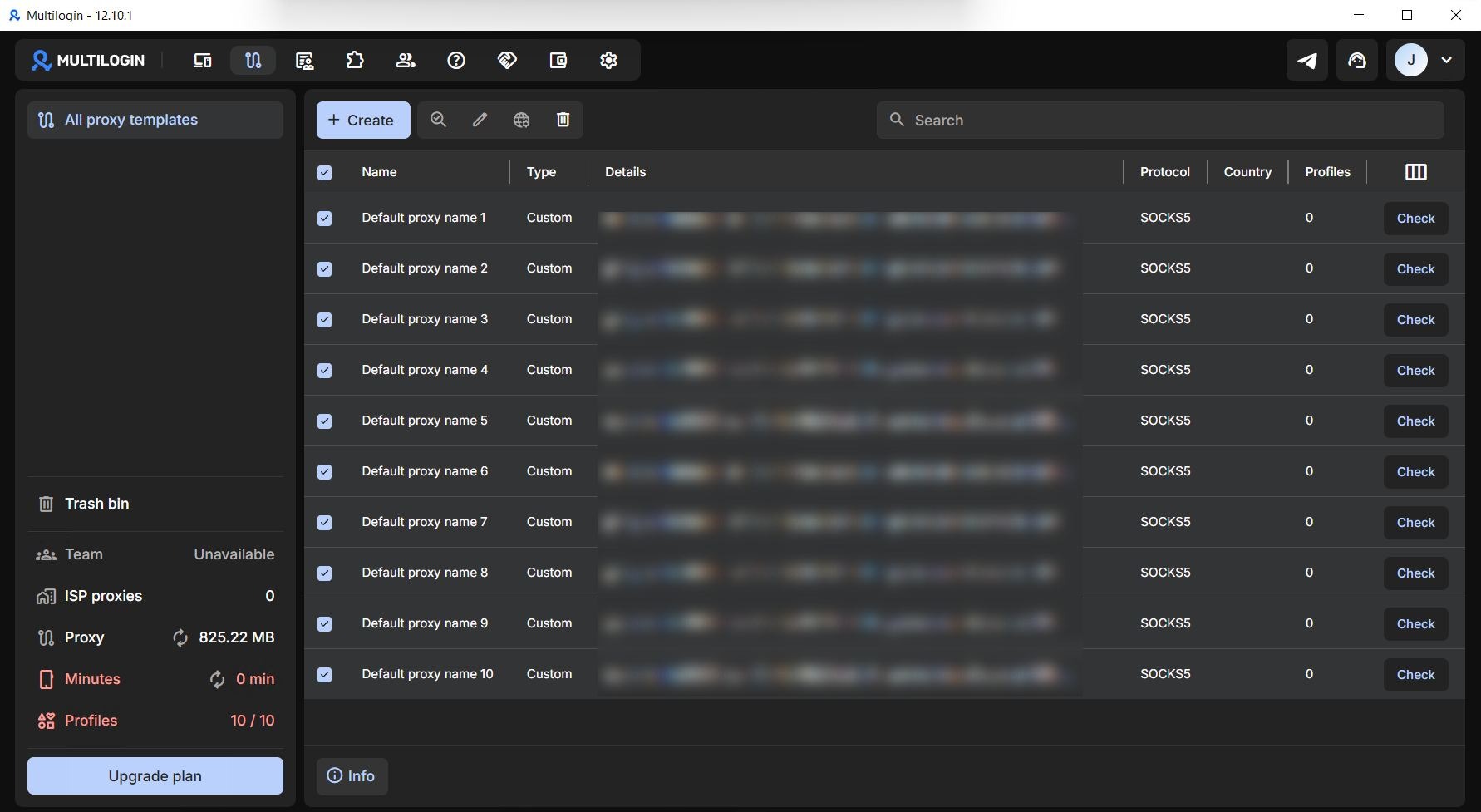
Checking proxies in Multilogin
Manual Proxy Check: Multilogin provides a more intuitive, prominent validation button in the UI. In Aurorium, the test button is less immediately obvious.
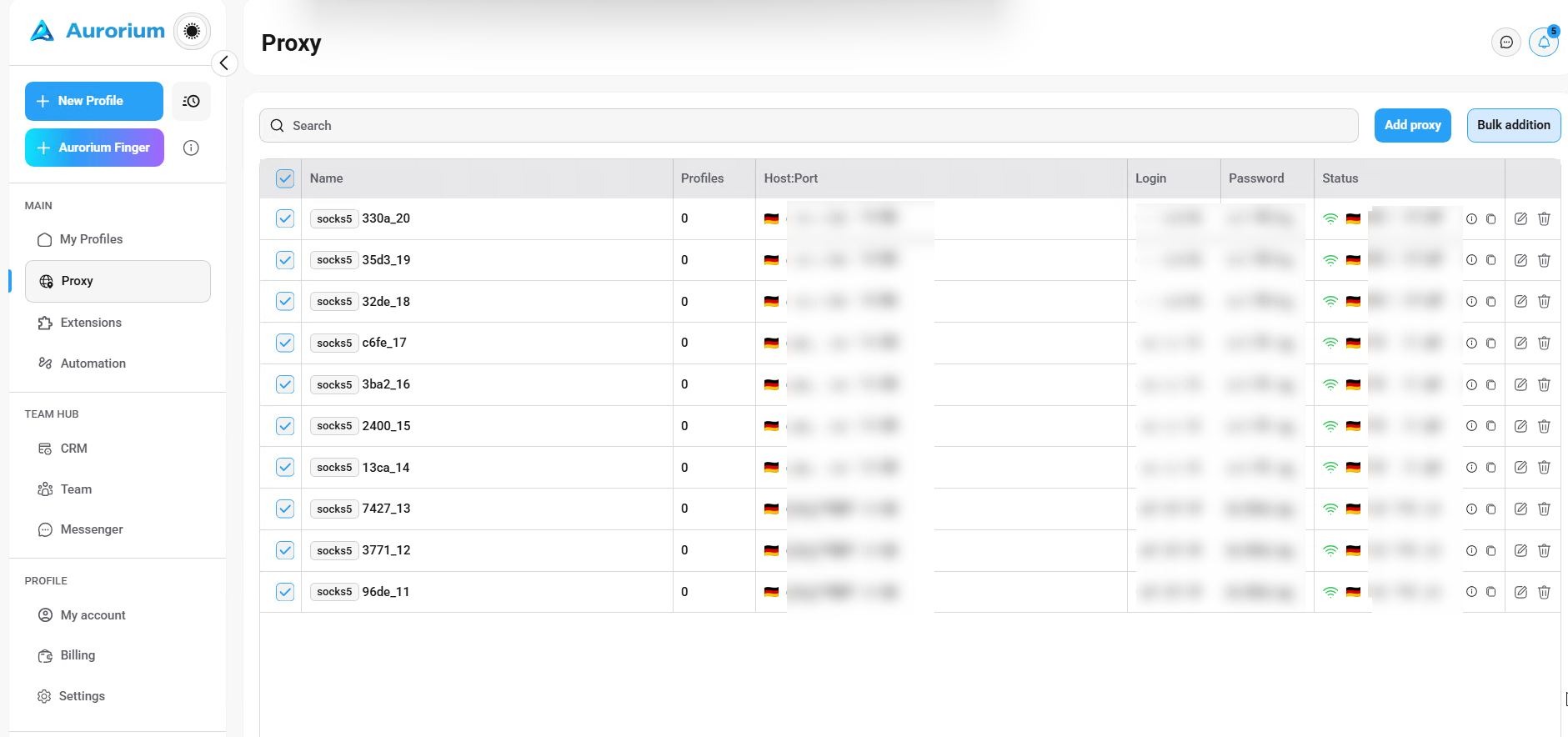
Checking proxies in Aurorium
Batch Profile Creation: Multilogin’s standard GUI doesn’t include a native bulk profile creation option. To achieve mass deployment, you must use the REST API, and bulk actions are only available in higher-tier plans. In Aurorium, you can generate bulk profiles from templates directly in the UI and this feature is available on all subscription levels (within profile limits).
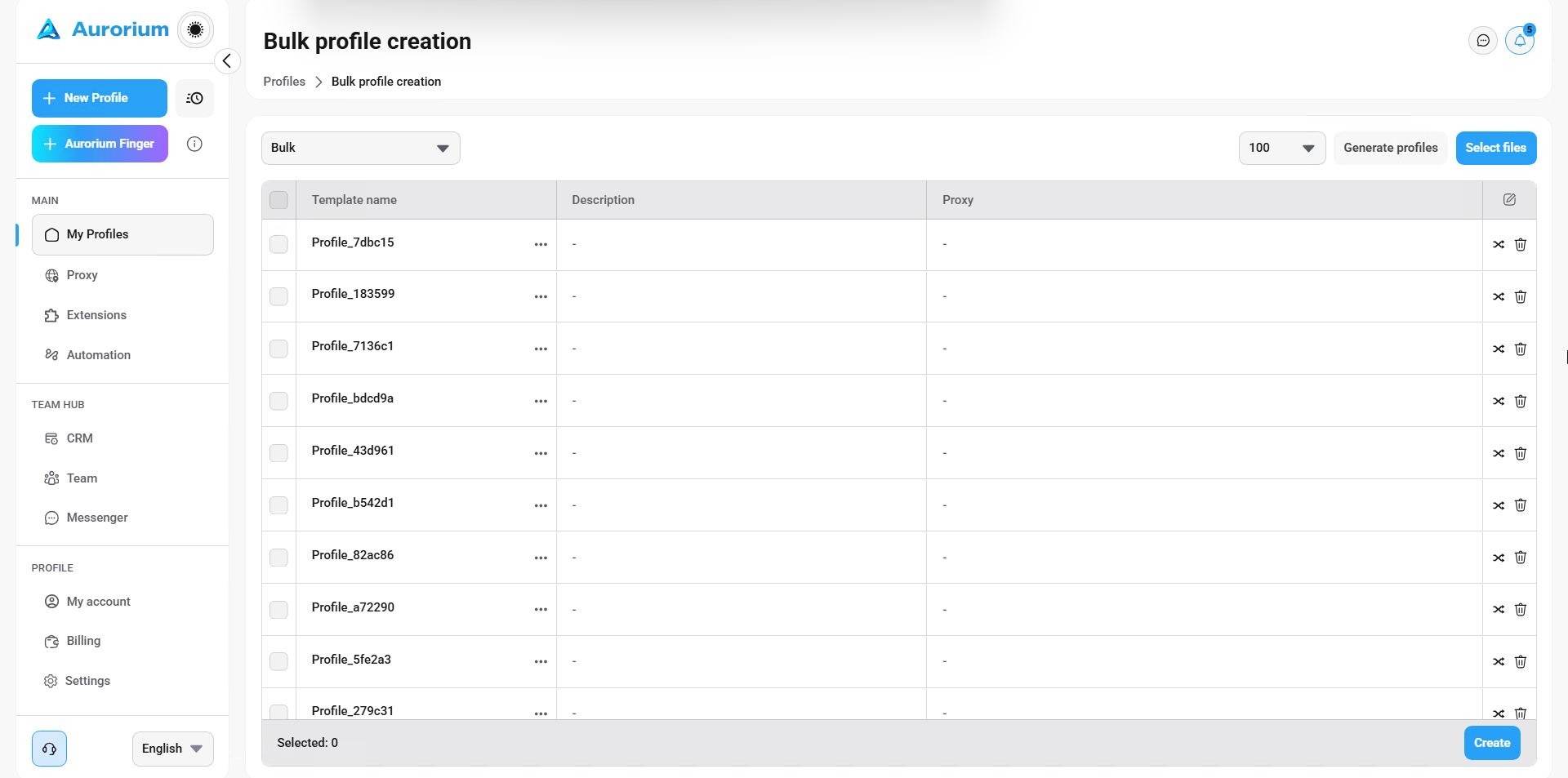
Bulk profile creation in Aurorium
Summary: Bulk workflows for proxies and profiles are more accessible and versatile within Aurorium's native interface.
Team Collaboration and Data Security
Role-based access control (RBAC) and profile isolation are a must for large media buying teams, allowing for account handoffs and preventing unauthorized leaks of campaign funnels and operational assets. Previously, antidetect browser team features were limited to simple cloud profile sharing from a single master account.
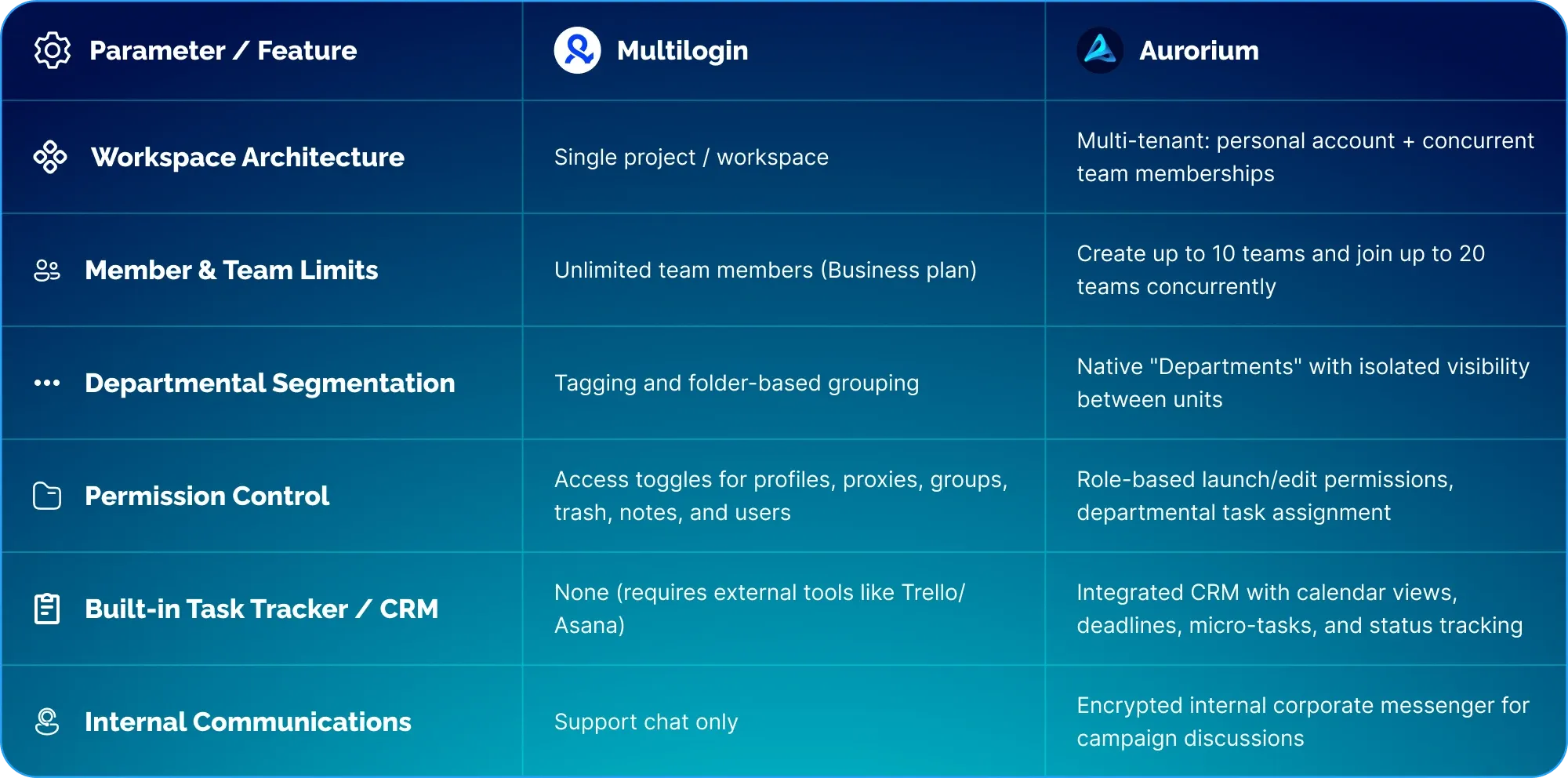
Multilogin and Aurorium have a different way of cooperation. Multilogin has a standard project-based access model, and Aurorium provides an integrated workspace with built-in task tracker and team messenger.
Team features are available only on higher subscription tiers on both platforms.
Access Control and Profile Segmentation
Multilogin: Project-level access permissions enable team collaboration. There is no multi-tiered departmental isolation; users are only separated by global permissions. No workspace flexibility: If a media buyer works across two different teams, they need separate Multilogin accounts and need to switch logins.
Aurorium: Collaboration means not only sharing profile information but also the surrounding operational workflows (task management, communication channels, and departmental segregation). Aurorium allows multiple tenants to switch workspace in one account. A user can belong to multiple independent teams at the same time:
Users can maintain a private workspace while participating in external team workspaces (an owner can create up to 10 independent teams, and a single account can join up to 20 teams concurrently).
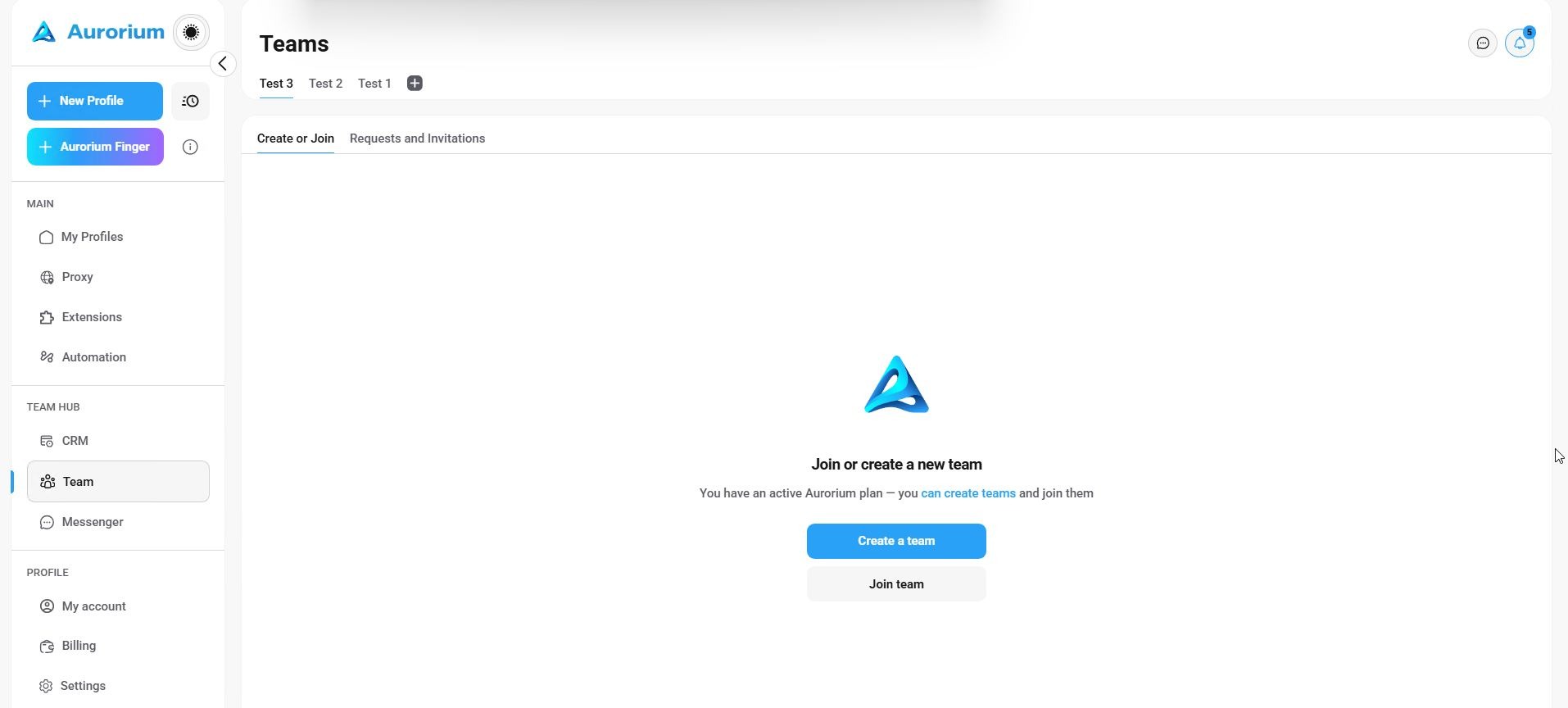
Teams in Aurorium
Within an organization, administrators can create isolated departments with segmented profile visibility.
👥 Tired of paying for third-party trackers and constantly switching between accounts?
Bring your team together in Aurorium’s secure, encrypted workspace: manage profile access, assign tasks, and collaborate via the built-in messenger without data leaks.
🔗 Migrate Your Team to Aurorium with a Discount →
The client includes an integrated CRM task tracker and an encrypted internal corporate messenger.
Pricing and Scaling Economics
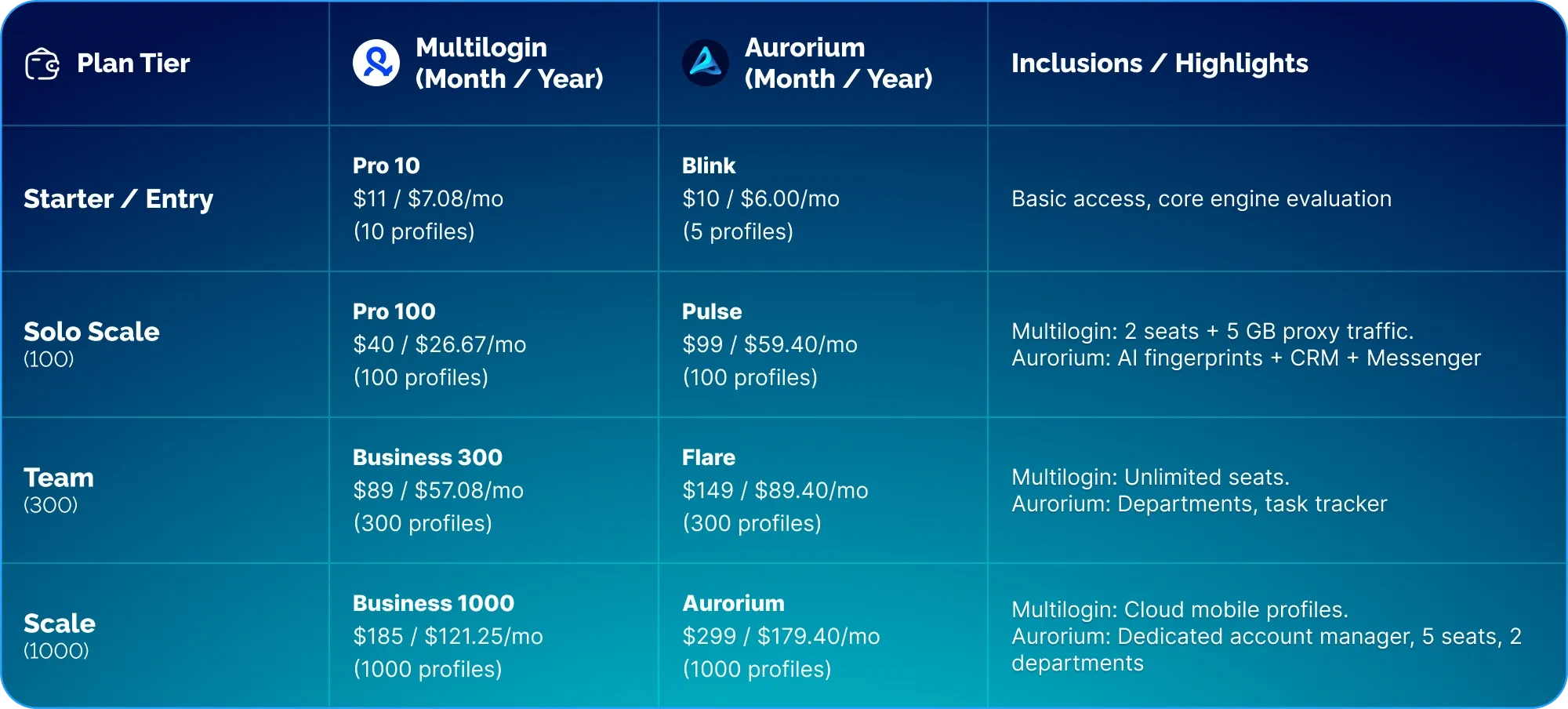
Subscription pricing and tier limits are critical when evaluating scaling costs.
Cost per Profile Breakdown
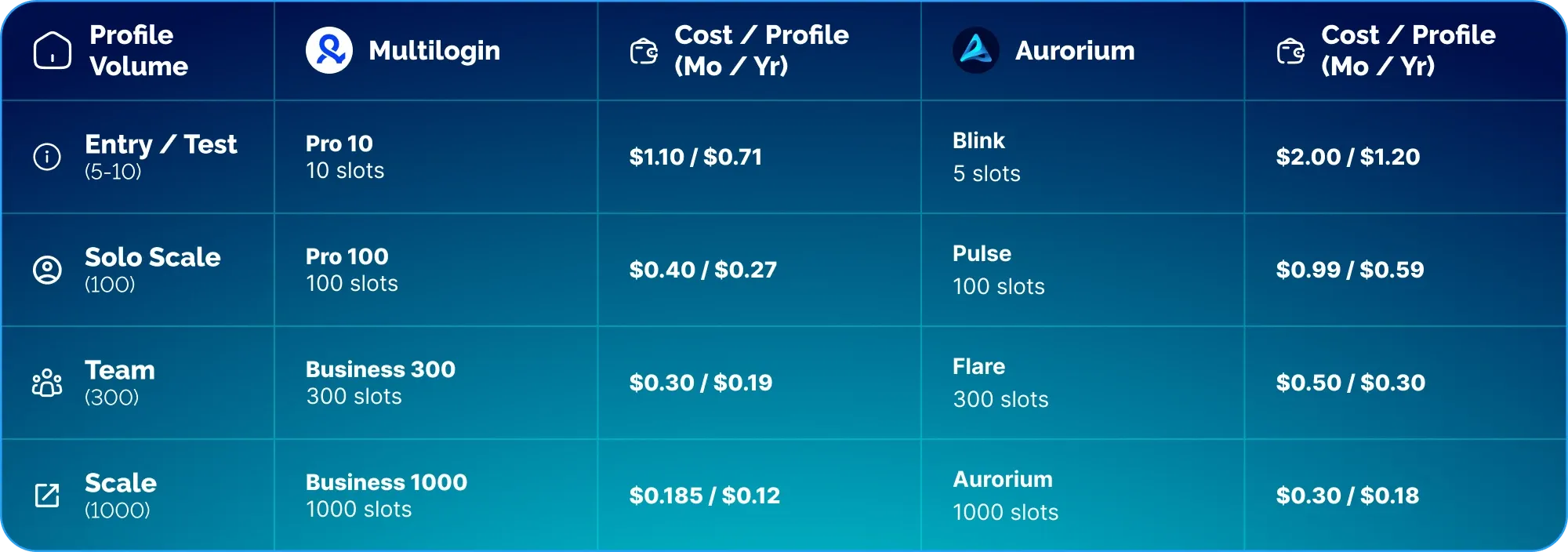
At first glance, Multilogin has a lower per-slot cost, while Aurorium sits at a higher price point.
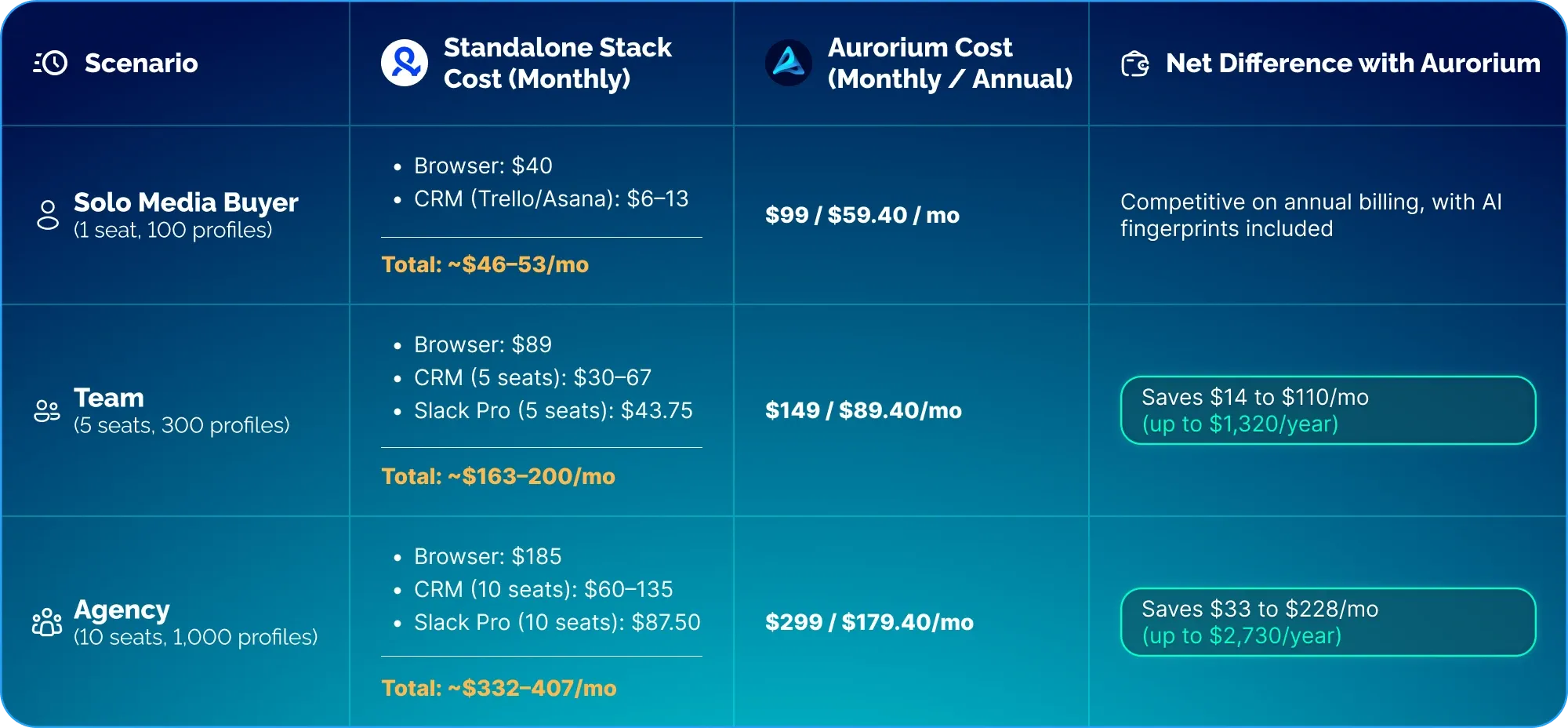
However, evaluating software purely by slot cost does not account for the entire operational stack. Multilogin provides standalone profile execution. Aurorium bundles AI-generated fingerprints, an encrypted messenger (available across all plans), and an integrated collaboration suite on team tiers.
Here is the Total Cost of Ownership (TCO) if equivalent third-party tools are purchased separately alongside Multilogin:
Independent Security Validation
Beyond usability and feature differences, Aurorium has completed an independent third-party security audit conducted by Cure53, an external validation that Multilogin has not publicly published.
Verifying security claims through independent technical audits provides tangible assurance regarding architecture and data safety.
Final Comparison Scoring
Decision Matrix: Which Browser Should You Choose?
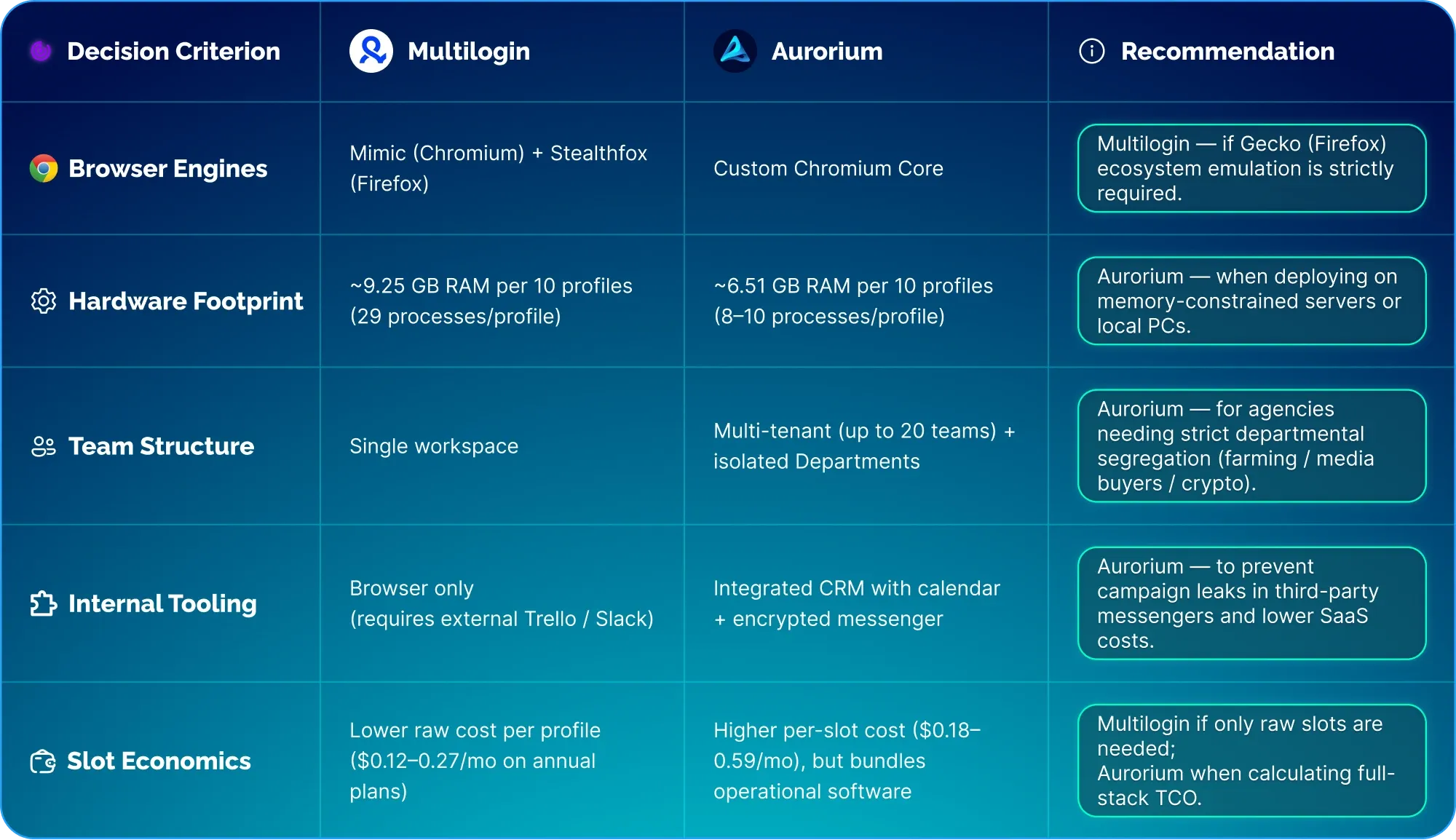
When to Choose Multilogin:
Firefox/Gecko Engine Requirement: If your traffic sources or validation workflows strictly require Gecko-based fingerprint emulation, Multilogin remains justified.
Mobile Profile Emulation: If you require native Android mobile profile emulation, Multilogin provides this out of the box, whereas Aurorium currently focuses on desktop environments.
Strict Per-Slot Cost Constraints: If you exclusively need browser slots and already maintain external workflow tools, Multilogin offers lower entry pricing for raw profile counts.
When Aurorium Is the Better Choice:
Hardware-Constrained Environments: When operating on standard PCs or mid-tier VPS infrastructure, Aurorium's lower RAM and process footprints enable higher concurrency.
Strict Data Protection & Compliance: Media buying operations looking to contain campaign funnels, credentials, and communications within an encrypted client boundary validated by Cure53.
Structured Media Buying Teams: Agencies requiring departmental access control, task tracking, and role-based permissions without integrating third-party tools.
Solo Media Buyers Managing Multiple Accounts: Professionals working across multiple client teams who need to switch workspaces without managing multiple browser logins.
Conclusion
Both products demonstrated high capability in digital fingerprint masking and anti-detect execution.
Multilogin remains an established solution for teams needing dedicated Gecko engine support and raw browser profile management.
Aurorium provides an updated approach, pairing an optimized Chromium core with operational security and embedded team workflow tools in a single unified client.
🚀 Ready to boost antifraud bypass rates and streamline your workflow?
See the difference for yourself: configure AI-driven fingerprints, experience native core speeds, and leverage security verified by a Cure53 audit.
🔗 Get Started with Aurorium Today →