
Comparing anti-detect browsers is an interesting task, especially when there is something to actually compare, rather than one browser being obviously superior to the other. In our case, we assume that both presented tools are comparable in their specs—which makes this review all the more interesting.
First, let's clarify that both Vision and Aurorium are positioned as professional tools for teams and solo media buyers working with social networks, crypto, gambling, and similar niches. This means they must be 100% capable; otherwise, users might face issues passing anti-fraud systems and keeping their accounts alive on these platforms.
Let's compare how each anti-detect browser performs against classic checkers like Browserleaks or CreepJS, and also find out which contender is more resource-hungry regarding your device's hardware.
Hardware Masking Approach: Noise Generation vs. Real Fingerprints
Most major players (and the browsers we are testing are considered quite prominent) use a standard approach to spoofing, which is simultaneously considered quite complex (spoofing happens at the kernel level).
In reality, verifying exactly how and when these substitutions occur is difficult, and we don't want to turn this article into a technical manual, so we won't do that. We will take it on faith that both anti-detect browsers can operate at a deep kernel level and move straight to the tests.
Commercial Checkers
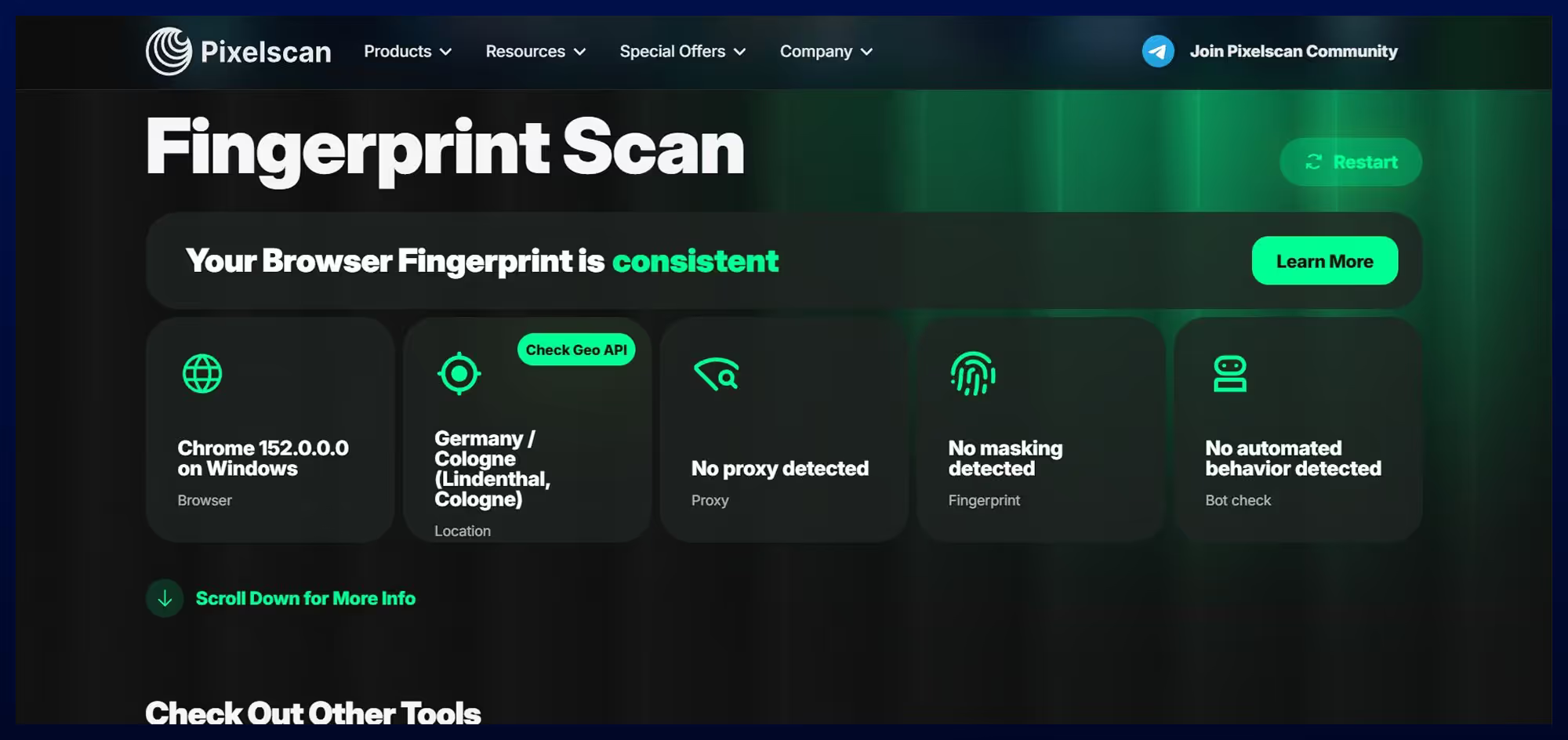
Let's start with the standard checkers that verify fingerprint consistency and detect spoofing or noise in the browser fingerprint.
By the way, every aforementioned service displays banner ads, which also suggests some level of affiliation. An independent checker cannot take money from the very companies it tests and remain completely objective; the whole setup doesn't look entirely independent.
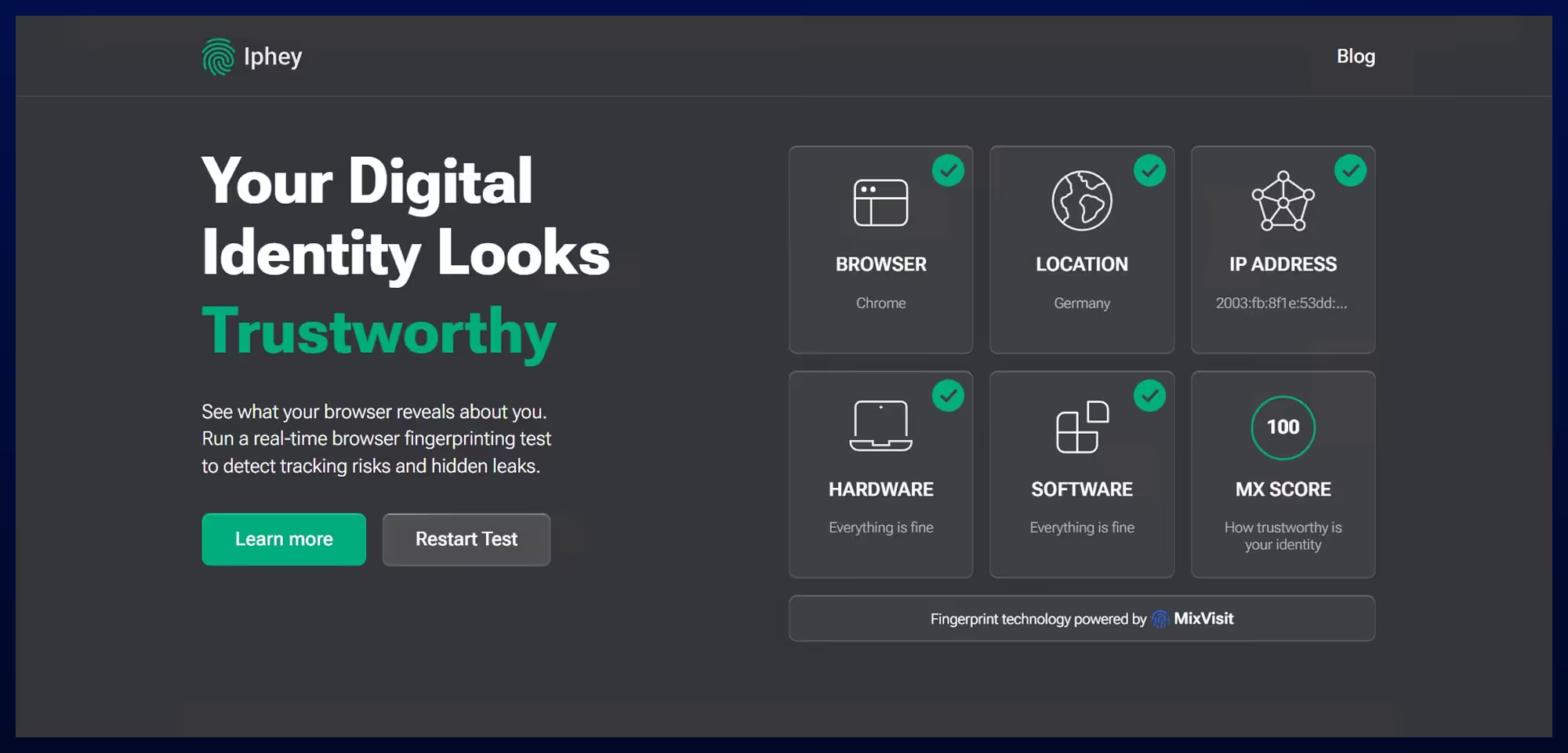
Still, there is one checker that has never featured ads or backlinks to anti-detect browsers: CreepJS. It genuinely looks like an Open Source project.
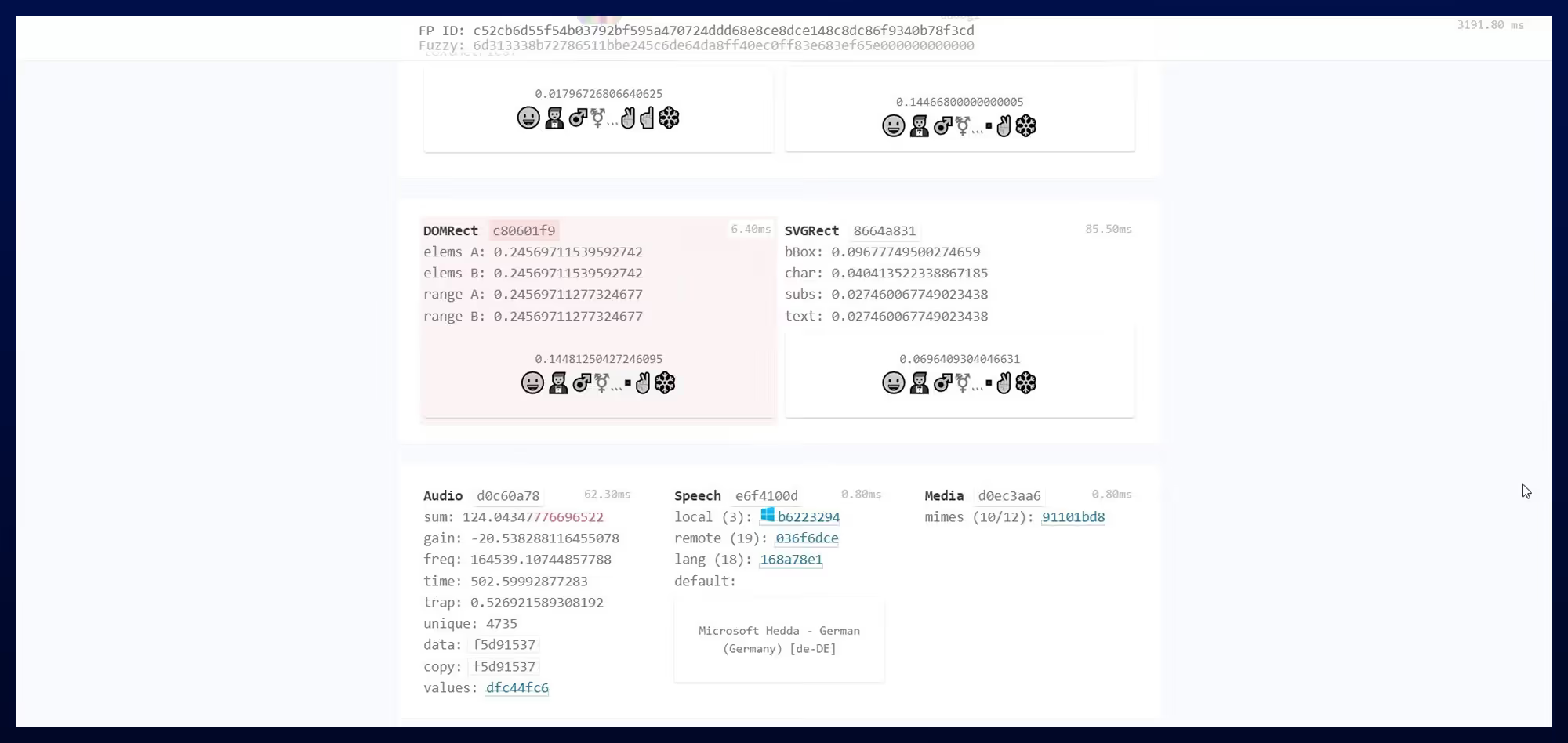
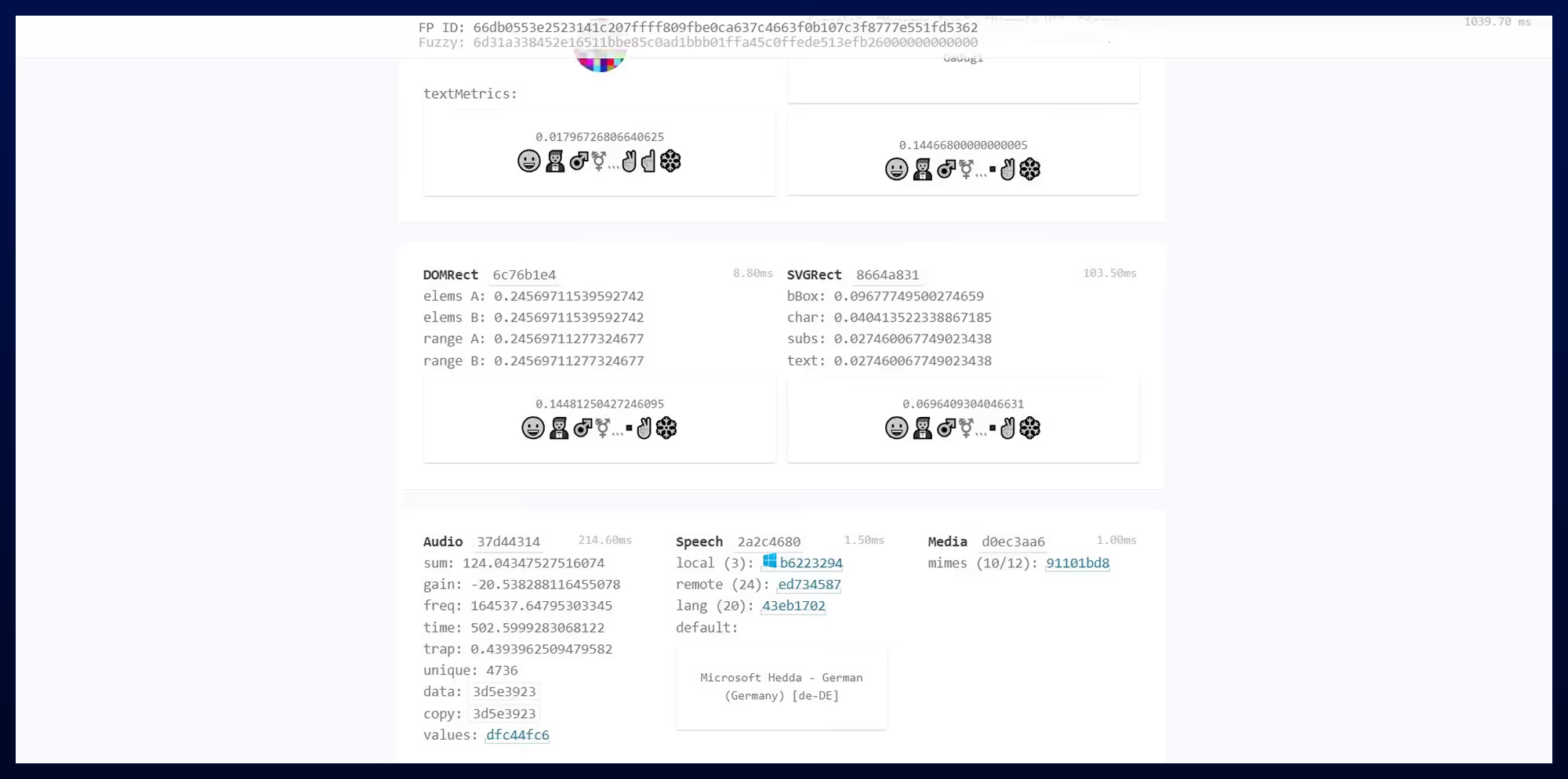
And it was on this checker that the first red flags regarding spoofing began to appear. For instance, an anomaly was detected in Vision. CreepJS identified spoofing or hash tampering. This block is highlighted in red in the screenshot.
CreepJS wasn't built just to read fingerprints, but specifically to check anti-detect browsers for falsifications—and Vision got caught. The checker saw that the browser tampered with the fingerprint and flagged it. Classic anti-fraud systems will detect this exact same tampering.
Aurorium, on the other hand, historically passes CreepJS without triggering any red flags. This has been consistent throughout our previous comparisons (AdsPower vs. Aurorium or GoLogin vs. Aurorium). The same thing happened this time—no red zones were detected.
Network Stack and Leaks: Who Protects Your IP Address Better?
Managing browser fingerprints is important, but preventing leaks and protecting your real IP address is equally crucial. It's no secret that most profiles get banned specifically due to IP issues.
When a fingerprint anomaly is detected, it's unpleasant—the overall account trust drops, but an instant ban is unlikely. However, when your IP address leaks, the consequences will definitely not be in your favor.
For example, let's say you have several profiles, and you assigned a unique IP address to each. The anti-fraud system considers all these accounts as unique users and lets you manage them (or rather, it doesn't know they have a single owner). But if an IP leak occurs, all these profiles will be linked into a single network and instantly blocked, likely without the possibility of recovery. Naturally, this is terrible, so always pay attention to this aspect and check how anti-detect browsers handle their network stack.
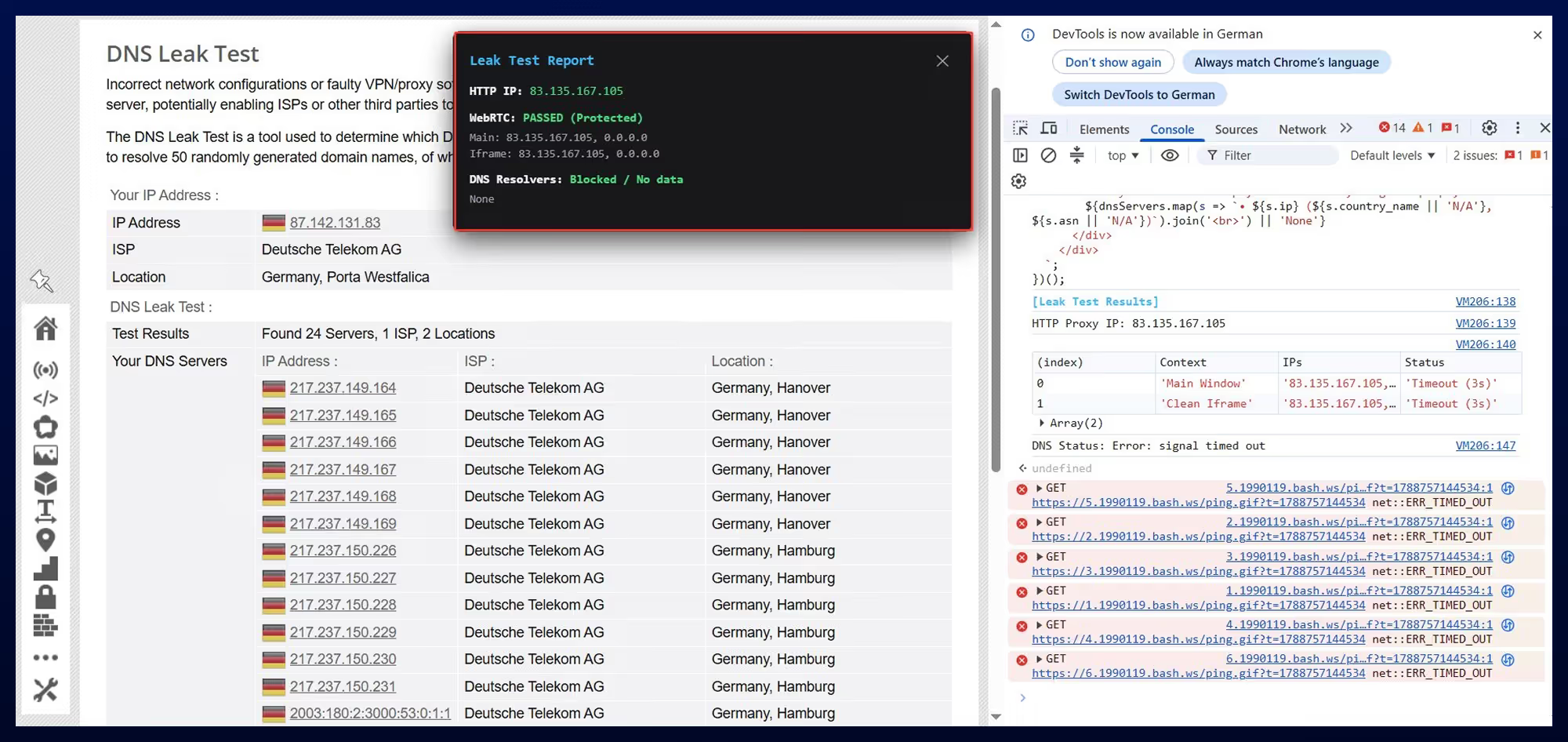
Since commercial checkers cannot be trusted 100%, we took a different route and ran a WebRTC and DNS leak test directly in the console of each browser. The results satisfied us in both cases—no leaks were recorded (and the checkers didn't find any either). This means that on standard settings (without any complex profile manipulations), the network stack is stable.
UDP Protocol Support
Recently, the UDP protocol has been gaining popularity. It has been around for a long time, but a massive spike in popularity occurred over the last six months.
You can read more about the UDP protocol, how it works, and its support in the article "UDP Proxy Support in the Aurorium Anti-Detect Browser."
Both Vision and Aurorium claim to support UDP proxies, which also requires verification, because claiming and doing are two different things.
What's the danger when an anti-detect browser claims UDP support but doesn't actually support it? Your real IP address could leak outside the tunnel and get intercepted by anti-fraud systems.
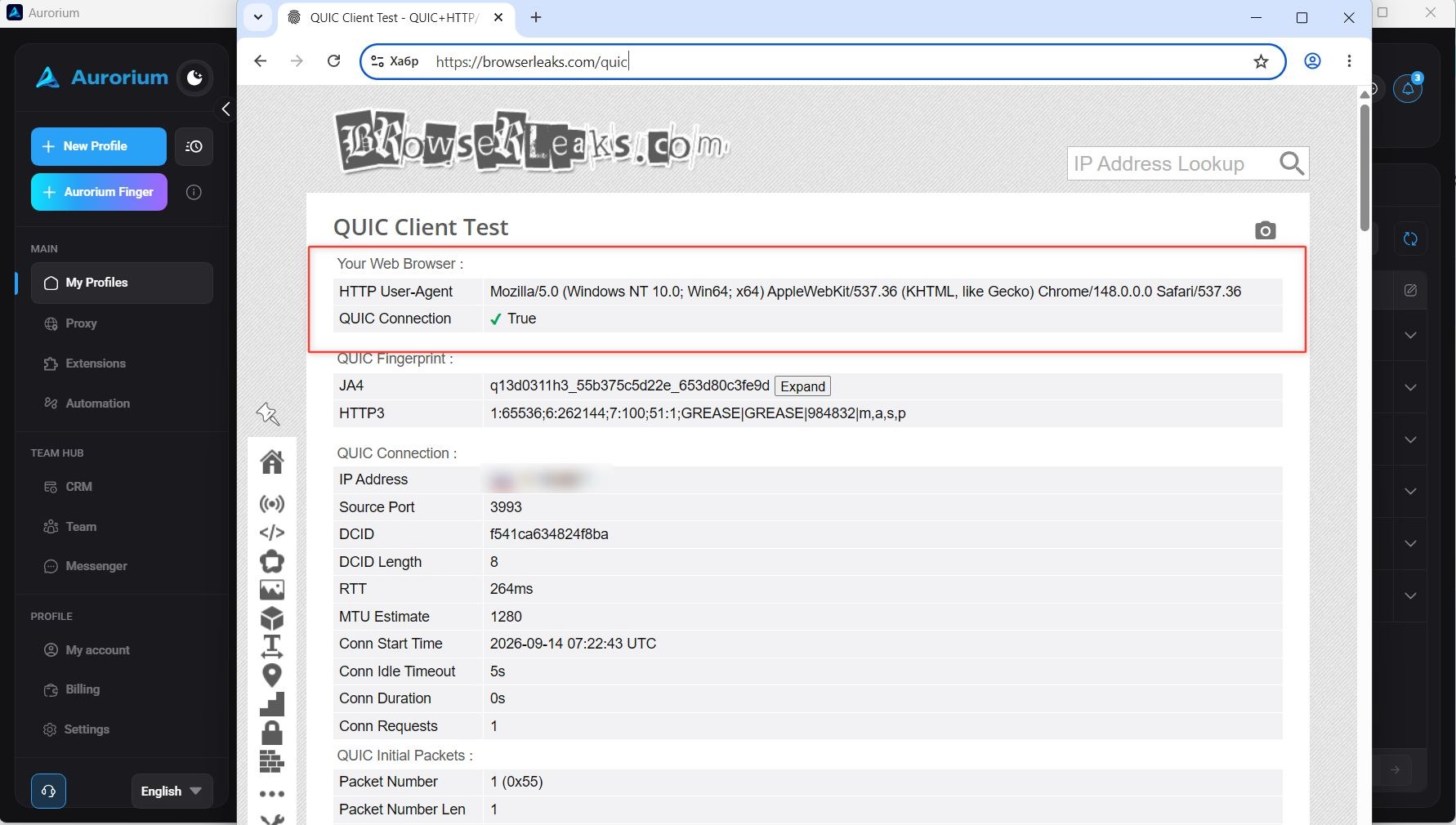
We tested the compared services for UDP support, and both browsers proved their claims in practice.
Team Infrastructure: Managing Departments via an Anti-Detect Browser
For teamwork, several criteria must be considered:
- how the workspace is organized;
- separation of access rights and protection of consumables from leaks;
- availability and implementation of internal communication;
- session synchronization (transferring profiles between departments).
Workspace Organization
In both Vision and Aurorium, workspace organization is built around a multi-team concept. A user can join an unlimited number of teams with a single account and switch between them. Data between workspaces is completely isolated. The differences begin at the stage of dividing team members into departments (or folders, in Vision's case). Vision took the classic route, dividing teams into folders. This means different team members have access to specific folders containing specific profiles. In Aurorium, division can be done both by folders and by departments. The team owner can create multiple departments and add specific members to each (farmers, media buyers, etc.).
Access Rights and Protection Against Consumable Theft
Access rights are divided for a reason: to protect sensitive data that could leak to competitors (account credentials, profiles, etc.). Therefore, data protection is even more critical for anti-detect browsers than usability.
In Vision, besides the folder model, there is a detailed role-based access control model, along with so-called anti-vandal protection. A specific toggle prevents profile deletion. If an "offended" employee decides to slam the door on their way out, they won't be able to steal or destroy the database. The folder model has its nuances: control is exercised strictly at the folder level. You cannot grant a media buyer access to a folder but hide one specific profile inside it. To isolate consumables, you have to build a "Personal Folders" structure (e.g., "Farm – Denis", "Buyer – Max"), which creates a clunky directory tree when the team grows beyond 20 people. Aurorium solves the isolation problem through organizational perimeters. One department works strictly with its own proxies and accounts. Another department can only see the profiles transferred to them, without direct access to the main pool of infrastructure resources. Within departments, employee credentials can also be hidden. An employee can receive a ready-to-work browser with an already authorized session.
🛡️ Afraid your employees might walk away with the profile database or leak private proxies to the side?
Isolate your infrastructure in Aurorium: segment access by departments, hide sensitive data, and manage tasks in the built-in CRM without the risk of campaign flows being stolen.
🔗 Build secure teamwork in Aurorium →
Internal Communication and Task Management
A distributed team's efficiency often bottlenecks at the speed of context sharing. Here is how the browsers differ at this level. Vision sticks to the classic approach—just an anti-detect browser and nothing extra. For internal communication, you get a tagging system, custom statuses, and text notes for profiles. There is nothing else for communication. Aurorium, on the other hand, bet on eliminating unnecessary apps and services by integrating a full-fledged team powerhouse into the client: a CRM system, a task tracker, and a built-in messenger. With the built-in CRM and task tracker, you can assign tasks directly in the UI, linking them to specific profiles or departments. You can set deadlines, assign responsible members, and track progress in real time. And the presence of a Telegram-level built-in messenger eliminates the need to share work links and hold discussions in third-party apps. Overall, it's highly convenient—no need to switch contexts.
Session Synchronization
In a media buying team, the classic lifecycle of a profile looks like this: Registrar → Farmer → Tech Specialist (attaching payment methods and proxies) → Media Buyer → Team Lead. If desync happens at any of these stages, the profile might die, forcing you to start over. That is why profile transfer is so important, and here is how it is implemented in the browsers we are comparing. Vision offers two transfer scenarios:
- Within the team: The profile is simply moved between folders. Cloud synchronization pulls cookies, tabs, local storage (LocalStorage/IndexedDB), and extensions for the new folder owner.
- Between independent teams: Vision has its own feature—a unique team Transfer Key. If you buy ready-made accounts from a third-party seller or hand over a project to an external contractor, you don't need to give them access to your team. The receiving side generates a token, and the sending side transfers specific profiles using it.
In Vision, you can block the simultaneous launch of the same profile by multiple members—this prevents session conflicts and avoids triggering anti-fraud systems. In Aurorium, the transfer process is integrated into the department structure and the built-in CRM. A profile is transferred along with all session data to a specific employee or an entire department, and you can attach a specific task directly to the profile in the CRM. To manage the process, there is an action history log and task distribution, allowing you to track which employee interacted with the profile and when. Unlike the transfer-key mechanism implemented in Vision, external profile transfer in Aurorium follows the classic data export/import scheme or direct transfer between platform users.
Which Verticals Are These Solutions Best For?
At first glance, any anti-detect browser suits any multi-accounting task. Fundamentally, this is true, but there are niches where an anti-detect's potential can be unlocked to 100%. Therefore, the choice of tool directly depends on the specific tasks and the scale of the infrastructure.
Vision: Retrodrops, Web3, and Targeted Farming
Thanks to its flexible manual fingerprint settings, Vision is popular among the Web3 community, particularly for:
- Retrodrops and testnets: Farming L1/L2 networks, testnets, and test bridges requires fairly fine-tuned adjustments for each profile for specific tasks where templates might raise suspicions.
- NFT minting and Whitelists: Specific scenarios demanding isolated emulation of unique configurations and quick, on-the-fly parameter adjustments.
- Syndicates and account reselling: The Transfer Key mechanic fits perfectly when a small team warms up batches of Twitter/Discord/MetaMask accounts for drops and transfers them to clients or external contractors without granting direct access to their own infrastructure.
Aurorium: Large-Scale Affiliate Marketing in Strict Niches
Aurorium was designed for high-load media buying scenarios, where the key factors are team stability, pipeline account transfer, and an absolute absence of hardware or network leaks. This makes it the optimal solution for high-ROI verticals with hardcore anti-fraud:
- Crypto: Working with crypto offers, exchanges, and fintech funnels requires a pristine network stack. Real IP leaks lead to severe bans and frozen working capital.
- Gambling (iGaming): High ad spends on Facebook, Google, and TikTok for iGaming necessitate the continuous warm-up and launch of hundreds of profiles. Dividing the team into departments (farming units separate from buyers) protects the infrastructure from human error and reduces ban rates.
- Nutra: Aggressive split testing, working with agency and autoreg accounts, constant creative rotation, and cloaking. It is critically important here that team members aren't distracted by routine software administration, and profiles are transferred internally in a couple of clicks with warmed-up sessions preserved.
Conclusion: What Should an Affiliate Marketing Team Choose?
The choice between the two browsers boils down to the classic dilemma of a "specialized tool for manual assembly" vs. a "ready-made, full-cycle ecosystem." Vision is a solid tool for solo specialists and compact teams who value manual parameter tweaking and the ability to transfer profiles to external parties via transfer keys. If your management is already tied to external task trackers and your focus lies in targeted Web3 farming, Vision will cover those needs. Aurorium is an out-of-the-box enterprise solution for team processes. The browser takes over all the routine heavy lifting: deep hardware protection at the native kernel level, network traffic tunneling (including UDP), and consumable isolation. The built-in CRM, department-level access rights, and isolated chats allow team owners to scale their workforce securely and focus on finding and scaling profitable campaigns, rather than administering software.
🚀 Ready to scale without disruptions?
Get a ready-made ecosystem for media buying: consistent kernel-level fingerprints and absolutely no hidden fees for team seats.
🔗 Try Aurorium for free right now →